AI Logo Design vs Traditional Logo Design: Which Is Better for Your Brand?
Choosing a logo used to mean one thing. You hired a designer, sat through a few rounds of concepts, and waited. Now an AI logo maker can generate dozens of options in seconds, while a human designer can still guide the process from start to finish.
Neither option is automatically better. The right choice depends on your business stage, budget, deadline, and the level of risk you’re willing to take with your brand identity. Some businesses even use both.
We compared AI logo design and traditional logo design side by side, covering process, cost, speed, originality, and legal considerations, plus a decision framework you can actually use. And here’s what we found.
What is the difference between AI logo design and traditional logo design?
AI logo design uses software to generate a logo based on your input, often combining templates, icon libraries, rule-based layout systems, and, in some cases, generative models. Traditional logo design is a human-led process built on brand strategy, research, creative direction, and multiple rounds of iteration before final vector files are delivered.
Not every AI logo generator works the same way. Some tools are fully generative and create original artwork from a text prompt. Others rely heavily on pre-built templates and icon libraries, with AI mainly assisting the layout, colors, or font pairing.
Traditional logo design usually follows a defined process. A designer researches your industry and competitors, develops creative direction, sketches concepts, and refines the strongest option based on your feedback. The result is typically a complete file package with logo variations for different use cases.
AI logo design vs traditional logo design comparison table
Seeing the two approaches side by side makes the tradeoffs easier to spot. The table below compares both methods across the factors that matter most when choosing a logo maker or designer. Use it as a quick reference before diving into the details in each section.
| Criteria | AI Logo Design | Traditional Logo Design |
| Process | Automated generation based on prompts or templates | Research, creative direction, sketching, revisions |
| Speed | Minutes to a few hours | Days to a few weeks |
| Cost | Low, often a flat fee or subscription | Higher, based on scope and experience |
| Strategy input | Minimal to none | Central to the process |
| Creative control | Limited to tool options | High, shaped by ongoing feedback |
| Originality | Varies by tool and generation method | Typically custom-built for the brand |
| File delivery | Varies by platform, may include vector files | Usually includes full vector files and variations |
| Revisions | Often unlimited regenerations, limited refinement | Structured rounds of revision |
| Ownership and trademark | Depends on platform terms and licensing | Typically transferred to the client upon payment |
Advantages and disadvantages of AI-generated logos
An AI logo maker can be a strong fit for some businesses and a weak one for others, and the reasons come down to specific tradeoffs.
Below is a closer look at where AI-generated logos help and where they tend to fall short:
Advantages
- Speed. Most tools produce dozens of options within minutes, which is useful when you’re still exploring names or a general brand direction.
- Cost. Many AI tools charge a flat fee or a low monthly subscription, which is far less than hiring a designer for a full brand identity project.
- Accessibility. You don’t need design experience or a large budget to get a usable starting point.
- Iteration. You can regenerate options as many times as you want without waiting for a revision round.
Disadvantages
- Limited strategy. The tool doesn’t know your competitors, your target audience, or your long-term brand goals unless you manually provide that context.
- Inconsistent files. Some platforms provide full vector files for commercial use, while others limit you to lower resolution formats unless you pay extra.
- Less creative flexibility. You’re working within the tool’s existing templates and generation patterns, not a fully custom concept.
Advantages and disadvantages of traditional logo design
Working with a designer comes with its own set of tradeoffs, separate from what a logo maker offers. Below is a closer look at where traditional logo design justifies its higher cost and asks more of you as the client.
Advantages
- Brand strategy. The designer researches your industry, your audience, and your competitors before any concepts are created.
- Creative direction. A real person responds to your feedback in ways software can’t, which usually leads to a more considered final product.
- Complete system. You typically receive logo variations, full vector files, and guidance on using the logo across different applications.
- Lower similarity risk. A custom concept built around your brand is less likely to resemble another company’s logo by coincidence.
Disadvantages
- Higher cost. Working with an experienced designer costs more than any AI tool, especially for a full brand identity project.
- Longer timeline. A thoughtful process takes days or weeks, not minutes, since it depends on research, revisions, and back-and-forth communication.
- More involvement is required. You’ll need to give clear feedback and stay engaged through the process, which takes more of your time than generating options on your own.
Are AI-generated logos original and suitable for long-term branding?
Originality with AI-generated logos depends heavily on the tool you use. While some tools lean on repetitive templates, others are capable of producing genuinely varied and professional results that hold up well for everyday branding.
Here’s Design.com’s AI logo generator producing a set of options for a coffee shop from a single brief:
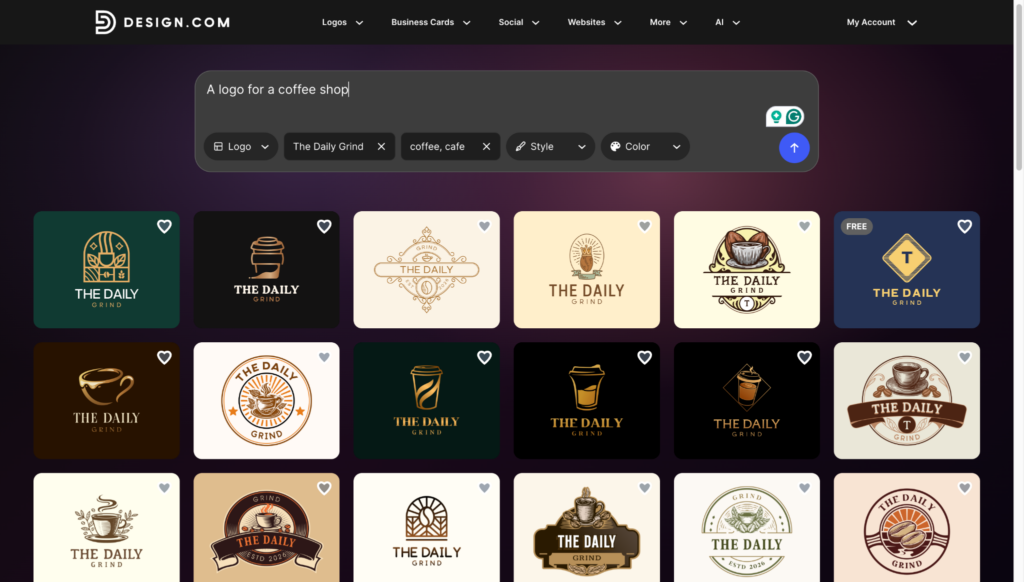
And here are just four of the 14,400 logos it instantly created:
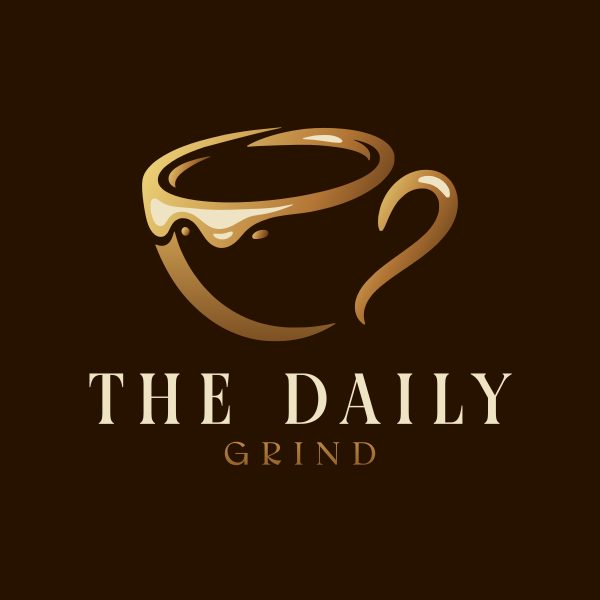
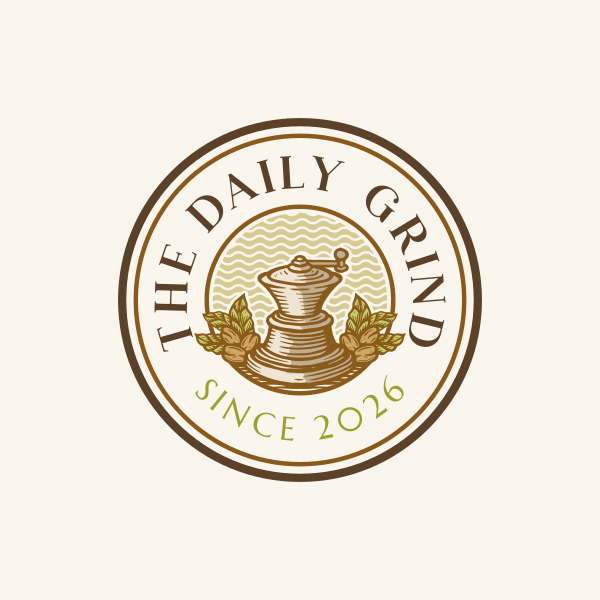
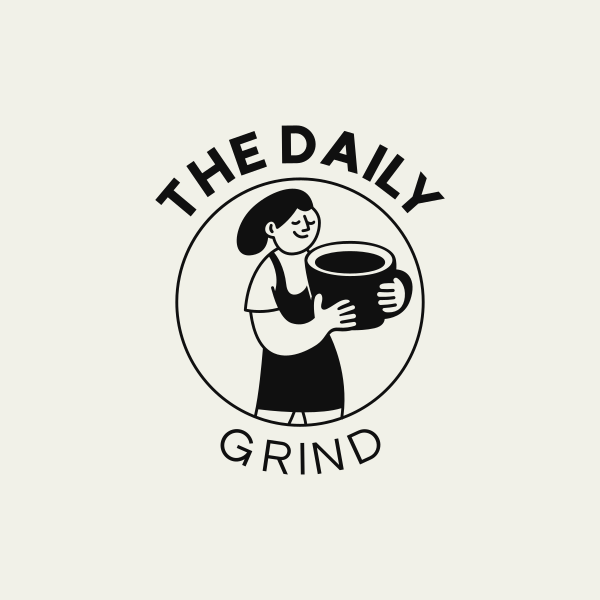

Any of them could work for a real coffee shop right away, whether printed on a storefront sign, a cup sleeve, or a social media profile.
It’s still worth keeping some overlap risk in mind as your brand grows and more people see it, since a wider audience makes any similarity to another logo more noticeable.
Design.com recently ran a controlled test comparing outputs from several AI logo generators using the same brief. The results showed meaningful differences in quality and originality between tools, which is worth keeping in mind before assuming all AI logo generators perform the same way.
If you’re planning to scale, having a designer or brand professional take a second look is a smart, low-cost step that can save you a rebrand later.
Can an AI-generated logo be copyrighted or trademarked?
This depends on several separate factors, including copyright, trademark eligibility, platform licensing terms, and whether the design has been cleared through a trademark search.
Copyrights and trademarks are not the same thing, and the answer can vary by jurisdiction and by the extent to which human input shaped the final design.
Copyright generally requires a human author. According to the U.S. Copyright Office, works created entirely by AI without meaningful human authorship may not qualify for copyright protection, though this area of law continues to evolve.
Trademark protection works differently. A trademark protects a logo’s use in commerce to identify your brand, and eligibility depends on distinctiveness and whether the mark is already in use, not strictly on how the logo was created.
Before using any logo commercially, it’s worth running a trademark search through the USPTO’s database. This step matters regardless of whether your logo came from an AI tool or a professional designer, since the goal is to confirm no one else already holds rights to a similar mark.
Scenario-based decision table
Every business situation is a little different, so a single recommendation rarely fits everyone. The table below matches common scenarios to a suggested route, based on the tradeoffs already covered above. Find the row closest to your situation to get a quick starting point.
| Your Situation | Recommended Route |
| Testing a business idea or name on a tight budget | AI logo generator |
| Launching under a hard deadline with limited funds | AI logo generator, refined later if the business grows |
| Rebranding an established company or building a full identity system | Professional designer |
| Operating in a competitive or highly regulated industry | Professional designer, with a trademark search |
| Preparing to scale, fundraise, or expand into new markets | Professional designer |
| Building a logo for a hobby project or personal use | AI logo generator |
When should a small business use an AI logo generator?
The common thread across the AI-friendly scenarios above is uncertainty. When you’re not yet sure the business will stick around in its current form, spending heavily on brand identity doesn’t make much sense.
An AI generator lets you get a usable logo now and revisit the decision once the business proves itself. You’re not locking in a large investment before you know it’s worth it.
When is a professional logo designer worth the investment?
The common thread across the designer-recommended scenarios above is exposure. The more customers, investors, or competitors will actually see and judge your logo, the more a strategic process pays off.
A designer also gives you someone accountable for the outcome. If the logo needs to evolve as your business grows, you have a system and a relationship to build on, rather than starting over from scratch.
Can AI tools and human designers be used together?
Yes, and this hybrid approach is becoming increasingly common. AI tools are useful for early exploration and rapid iteration, letting you test directions quickly before involving a designer.
A designer can then take the strongest direction and refine it. This includes research, custom artwork, building out a full system of logo variations, and quality control on the final vector files.
This approach can reduce cost compared to starting a design project from a blank page. It also gives you a faster starting point without sacrificing the strategic thinking a designer brings to the final result.
Final logo readiness checklist
Use this checklist before finalizing any logo, no matter which route you took to get there.
- Vector files delivered in formats like SVG or AI
- Commercial use rights confirmed in writing
- Logo variations included, such as horizontal, icon only, and light or dark versions
- Trademark search completed through the USPTO database
- Logo remains legible and recognizable at small sizes
- Design aligns with your brand strategy and target audience
Final thoughts
There’s no universal winner between AI logo design and traditional logo design. Each works better depending on your budget, timeline, brand complexity, and the level of risk you’re comfortable taking with your identity.
Many businesses start with AI to move quickly, then bring in a designer once the brand needs to scale. Whichever path you choose, run a trademark search and confirm your file rights before your logo goes live.
Design.com gives you a place to start either path. Its AI logo generator lets you explore dozens of concepts in minutes, and its wider suite of tools can carry that same logo across a matching website, business cards, social media designs, flyers, email signatures, and more.
Your logo is often the first thing people notice about your brand, so it’s worth taking the time to get it right from the start.