Best AI Website Builders for Beginners in 2026
Creating a website for the first time shouldn’t require coding skills or design experience. Yet beginners often face unfamiliar decisions, from choosing layouts and writing content to making a site mobile-friendly and getting it published. The best AI website builders simplify these steps, helping you turn a basic business idea into a functional website with less manual work.
To find out which platforms make this process easiest, we tested popular AI website builders from a beginner’s perspective. Design.com stood out as our best overall choice, combining simple website creation with tools for logo design, business cards, social media graphics, and image generation. This makes it easier for beginners to create a website and match business materials in one place.
We compared how easily each builder turns an idea into a published website, how much work the AI handles, and how simple it is to edit the results. We also looked at free plans to see which options offer the most value for beginners.
Here’s how each platform performed in our tests.
Why beginners need a different kind of website builder
Not every website builder is designed for someone starting from zero. Some tools assume you already understand layouts, image sizing, navigation, or basic design principles.
A beginner-friendly website builder should make those early decisions easier. The AI should create a useful starting point, while the editor should make it simple to change text, images, pages, and layouts without requiring design or technical experience.
We ranked each platform based on five things:
- How much work does the AI handle before you need to make design decisions
- How easy the editor is once your initial website is generated
- What additional branding and business tools are available
- How useful is the free plan for a beginner
- How easy it is to produce a professional-looking website without prior experience
Using these criteria, here is the full ranked list.
| Tool | AI setup | Editor ease | Branding & business tools | Free access | Verdict |
| Design.com | Extensive, with much of the initial site generated for you | Easy, with straightforward editing controls | Extensive toolkit for logos, business cards, social graphics, images, and more | Yes | Strongest for beginners, combining easy website creation with a broad branding toolkit |
| BrandCrowd | Extensive, with guided setup that reduces manual work | Easy, with simple controls for layouts and content | Great selection of logos, business cards, social designs, and other assets | Yes | A close alternative, especially for beginners creating a logo and website together |
| Wix | Strong, with AI generating the initial site and content | Easy, but with more controls to navigate | Strong e-commerce, booking, marketing, and business tools | Yes | Easy to start with, but more feature-heavy, giving beginners more decisions to make |
| WordPress.com | Moderate, with more hands-on setup | Moderate, with more settings to learn | Strong publishing, blogging, and website tools | Yes | Capable but more hands-on, with a steeper learning curve for beginners |
| Squarespace | Moderate, with AI assisting parts of site creation | Easy, with a structured visual editor | Strong e-commerce, scheduling, and marketing tools | No, 14-day free trial | Polished and approachable, but less accessible for beginners wanting a permanent free option |
Design.com: The best overall AI website builder for beginners
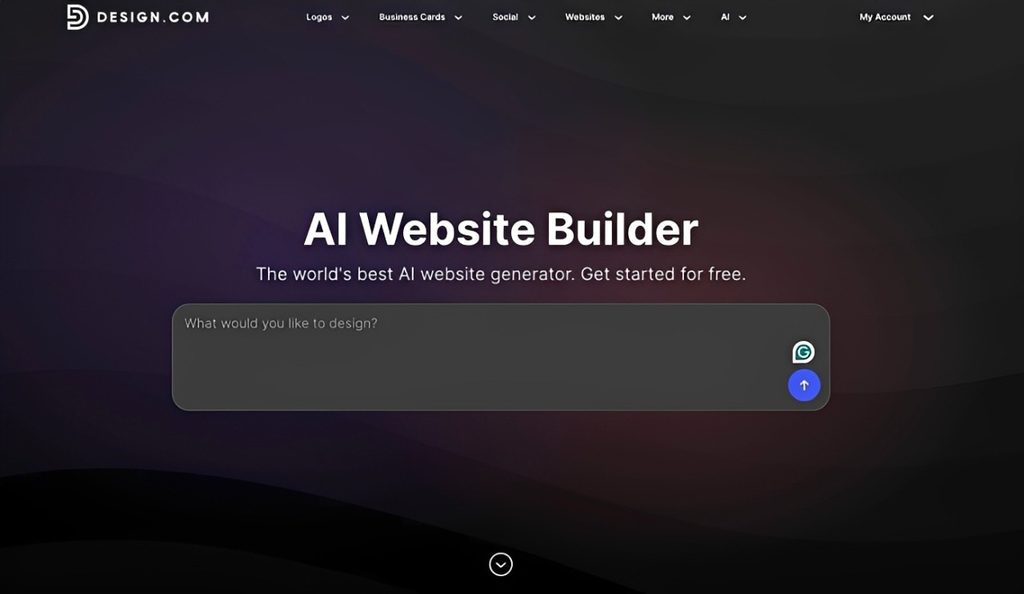
Design.com ranks first because its AI website generator combines automated site creation with straightforward editing and a large template library. Beginners can start with a generated website instead of planning every page, layout, and design element from scratch.
What makes Design.com stand out
The setup starts with a few details about your business. Design.com’s AI website builder uses them to generate a site with relevant pages, layouts, sections, and draft content. From there, the visual editor lets you refine the result without code.
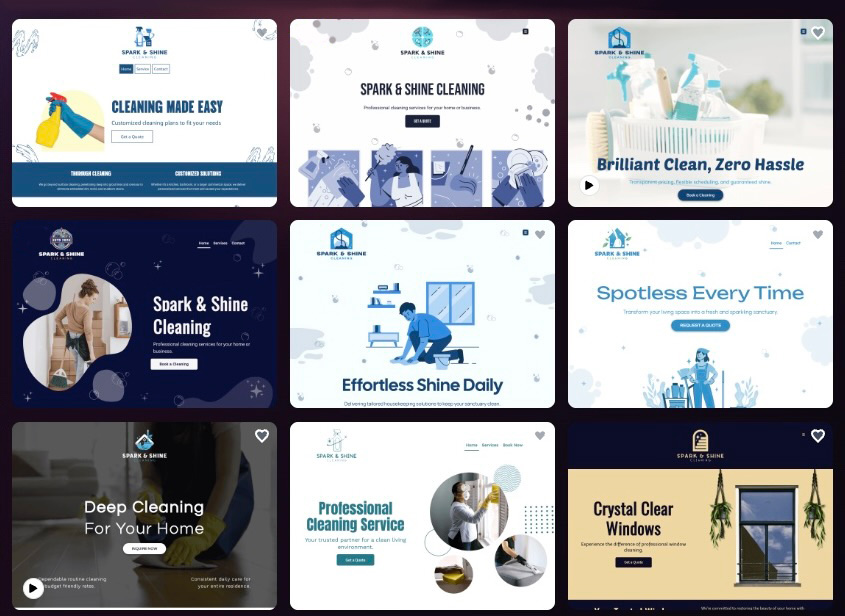
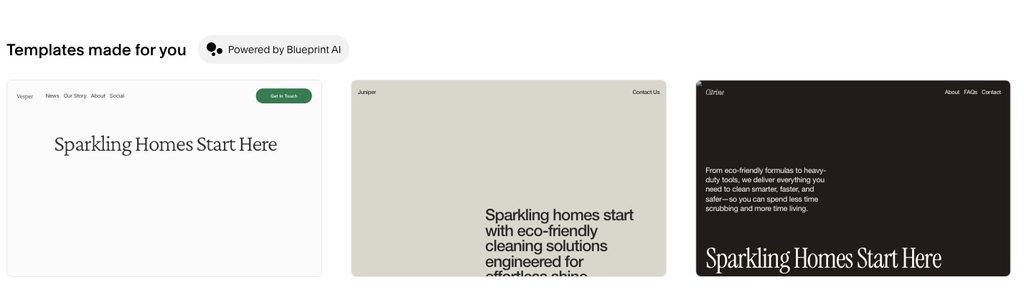
For our first Design.com test, we entered Spark & Shine Cleaning as the business name and used “cleaning services” as the keyword. The AI generated several website options that reflected the type of business without requiring us to build the layout ourselves.
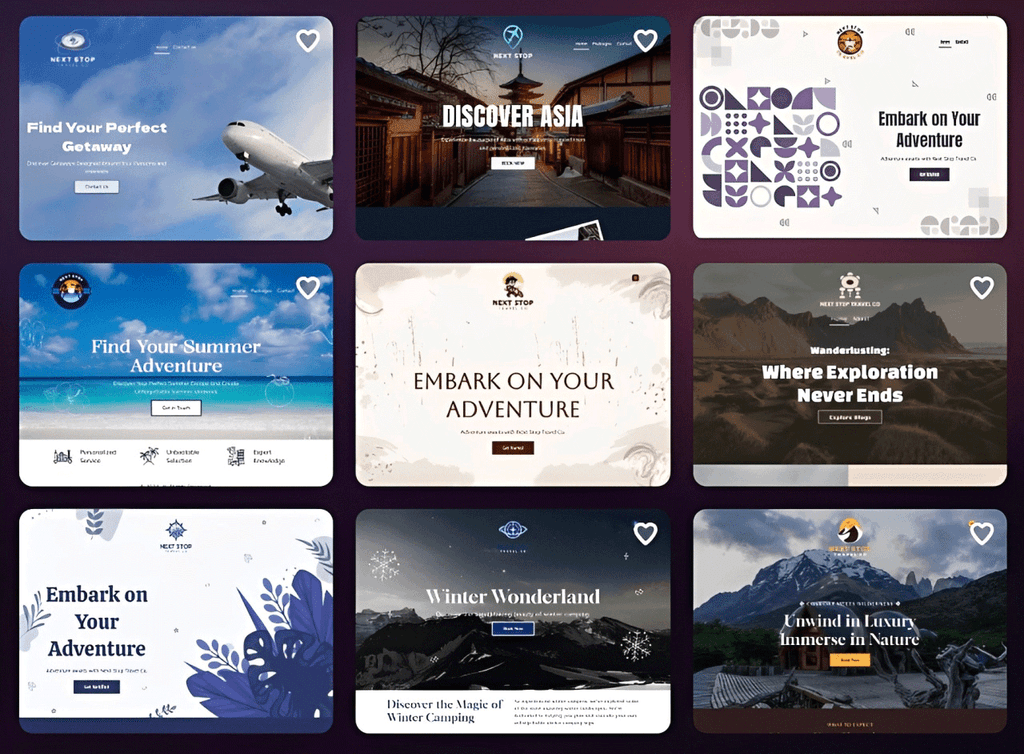
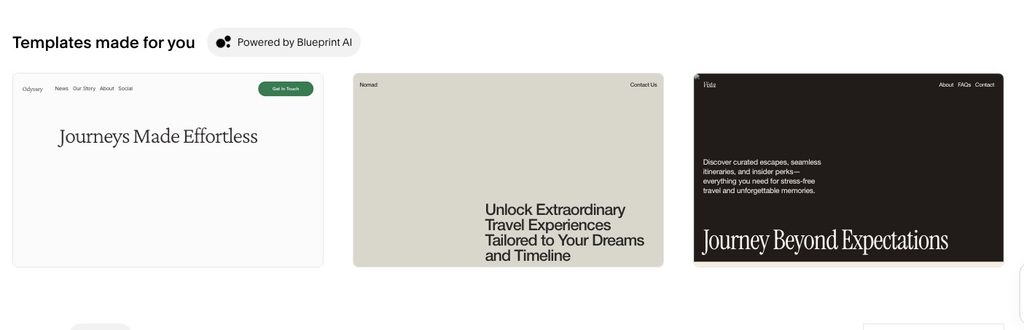
We then switched to Next Stop Travel Co. and used “travel agency” as the keyword. The designs changed noticeably with the new industry, showing how the AI adjusted the layouts and overall direction based on the input.
Key features include:
- AI website generation: Creates an initial site based on your business details
- 3,000+ website templates: Covers a wide range of industries and business types
- AI-generated content: Provides draft headlines, descriptions, and page copy
- Visual editing: Change text, images, fonts, colors, and layouts without coding
- Mobile-responsive layouts: Websites adapt across desktop and mobile screens
- 50+ branding and design tools: Includes tools for business cards, social media graphics, presentations, and other business materials.
Pricing
Design.com offers a free option that supports up to three website pages, giving beginners room to build and test a basic site before upgrading.
Paid website plans start at $9 per month when billed monthly or $6 per month when billed annually. Upgrading provides unlimited pages, custom domain connection, and additional publishing features.
BrandCrowd: Best for easy website design
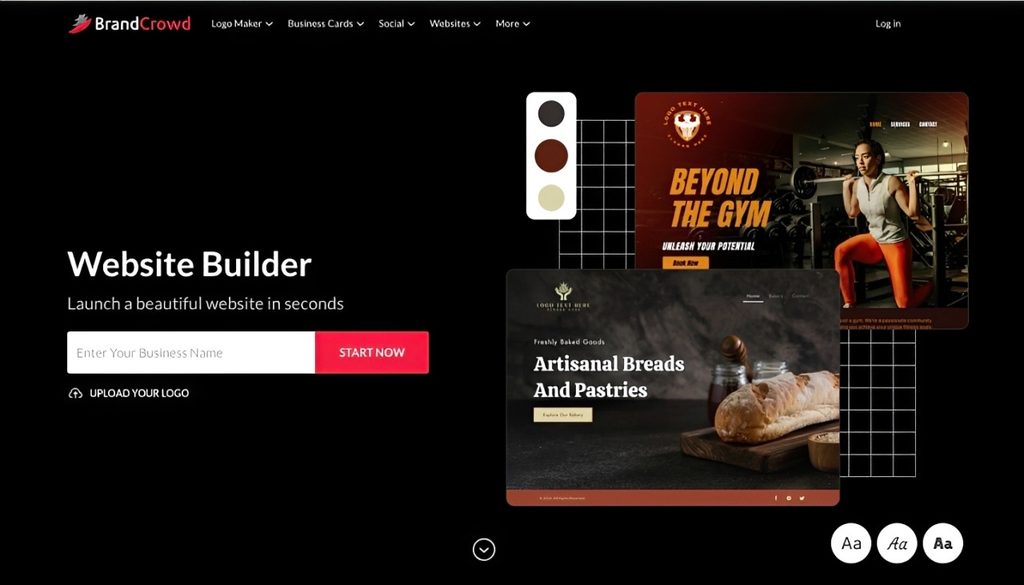
BrandCrowd’s website builder is a strong option for beginners who want a straightforward website-building experience, with plenty of design resources available. The visual editor is easy to navigate, letting you create and refine a business website without coding.
What makes BrandCrowd stand out
BrandCrowd keeps the editing process simple. You work directly with the elements on the page, making it easy to change text, images, backgrounds, layouts, and styles without dealing with complicated design controls.
The website builder also sits within a much larger creative platform. BrandCrowd has more than 1 million design assets across its tools, giving beginners plenty of options when developing their business’s look. This is useful when you want the website to feel consistent with everything else you create.
For BrandCrowd, we kept the business names and keywords consistent for a direct comparison. Its cleaning service results offered a good variety of ready-made designs, each providing a practical starting point that was easy to edit further.
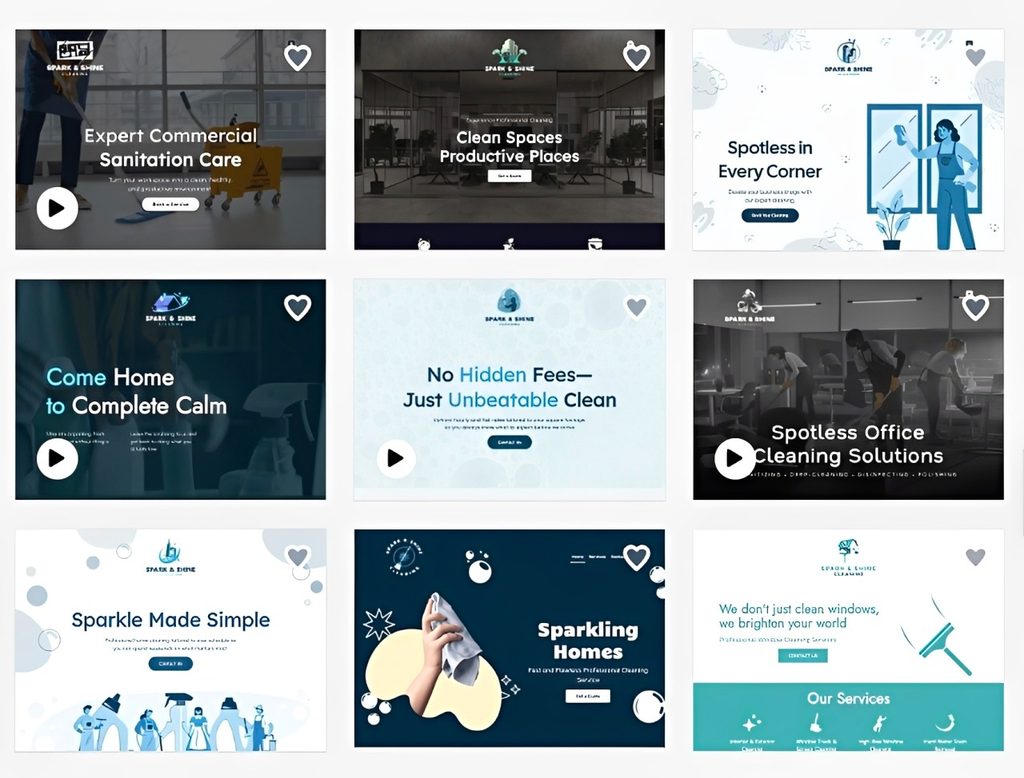
The travel agency test followed the same setup. BrandCrowd changed the visual direction for the new industry while keeping the editing process relatively straightforward.
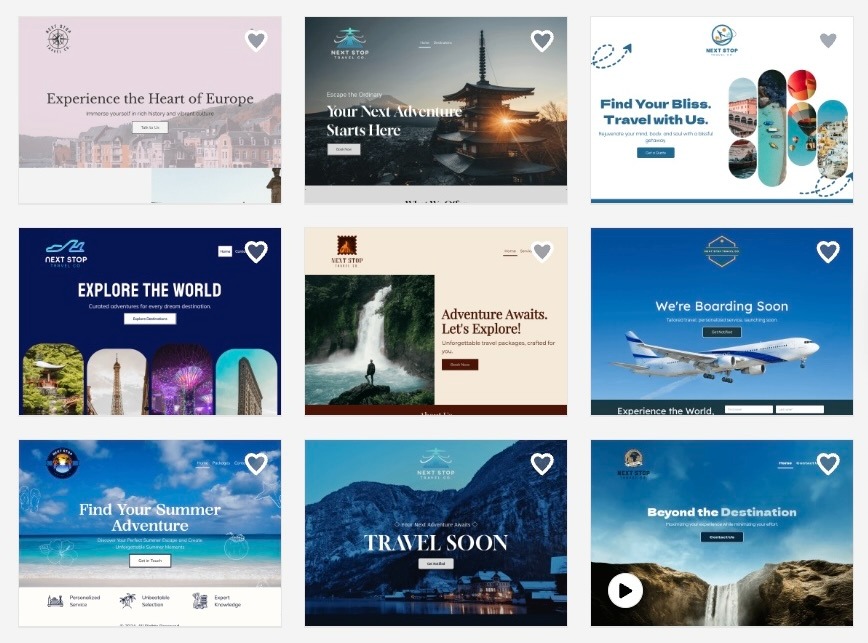
Key website features include:
- Easy visual editor: Edit text, images, backgrounds, colors, and page elements directly without coding
- Flexible page design: Adjust layouts and styles to create a website that fits your business
- Built-in media support: Add images, videos, galleries, links, and other content to your pages
- Business-ready features: Collect customer inquiries through contact forms and add payment options when needed
- Responsive websites: Pages automatically adapt to desktop, tablet, and mobile screens
Pricing
BrandCrowd offers free access to its website builder, so beginners can start creating and editing a site before choosing a paid plan.
Paid website plans start at $9 per month with monthly billing or $6 per month with annual billing. Upgrading adds unlimited pages, a branded URL, email capture, image galleries, payment support, and additional website features.
Wix: Best for beginners who want room to grow
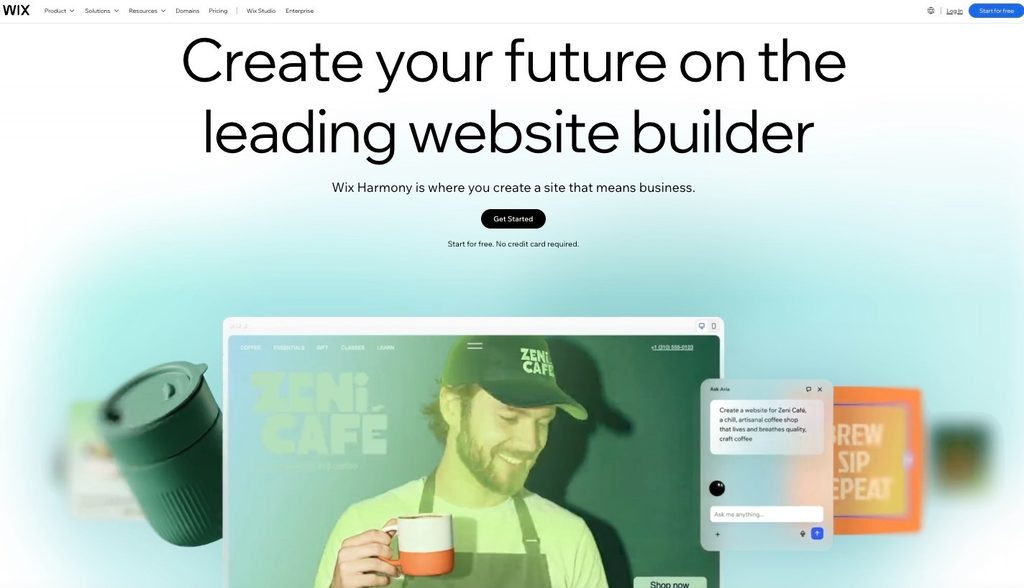
Wix is one of the more established website builders in this list and gives beginners several ways to create a site. Its AI website builder can generate an initial design from information about your business.
That flexibility can be useful as a website grows, but it also makes Wix a more involved platform to navigate than Design.com or BrandCrowd.
What makes Wix different
Wix combines its website builder with a broad collection of business features. You can start with a relatively simple site and later add bookings, e-commerce, forms, marketing tools, and third-party apps without moving to another platform.
For a first-time user, the trade-off is complexity. There are more editing options and settings to learn, particularly once you move beyond the generated starting point.
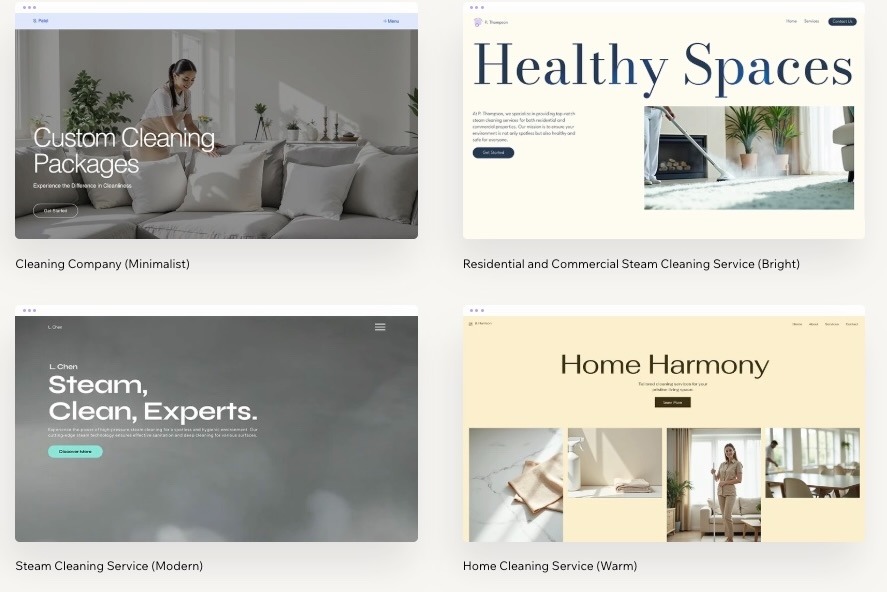
For Wix, we also kept the same inputs to see how its AI handled the cleaning business. The generated site was a useful starting point, but there were more sections and editing options to work through before the design felt finished.
We repeated the process for the travel agency. Wix adapted the content and layout to the industry, though refining the generated result involved more manual decisions than with the top two picks.
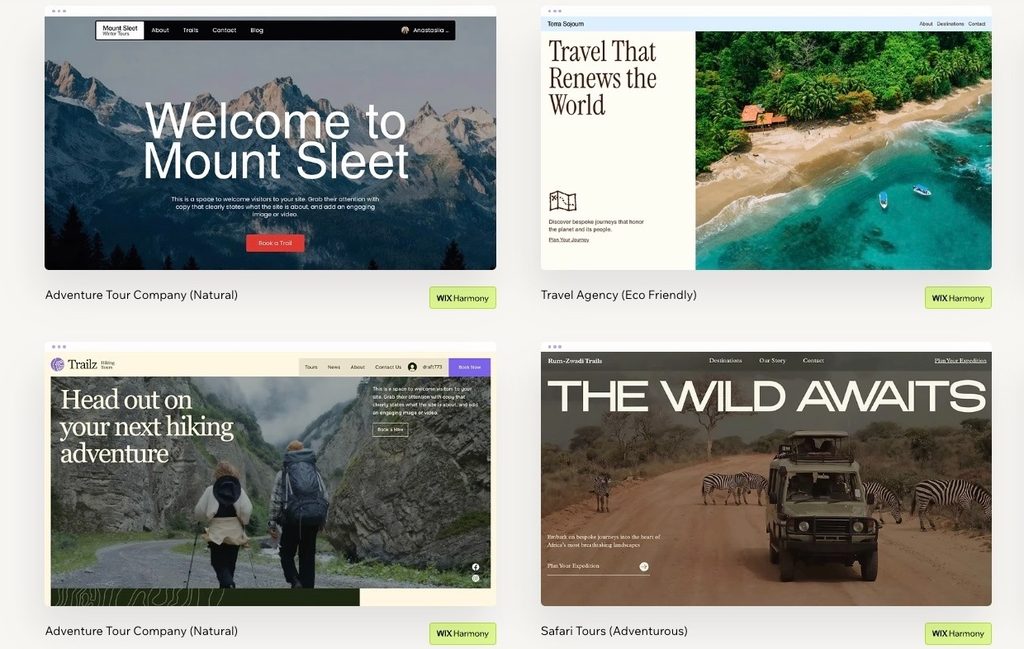
Key website features include:
- AI website builder: Generates a starting site based on information about your business
- Visual editing: Change sections, layouts, text, images, and other page elements
- Business tools: Add bookings, forms, payments, e-commerce, and marketing features
- App marketplace: Extend your site with additional Wix and third-party apps
- Mobile editing: Review and adjust how your website appears on smaller screens
Pricing
Wix offers a free plan, but it includes Wix branding and uses a Wix URL.
Paid plans start at around $17 per month for Light with annual billing. Core starts at around $29 per month, Business at $39, and Business Elite at $159. Pricing can vary by location.
For beginners, Wix offers more room to expand than many simpler builders, but that comes with more features to learn and a higher starting price for a paid website.
WordPress.com: Best for beginners focused on publishing
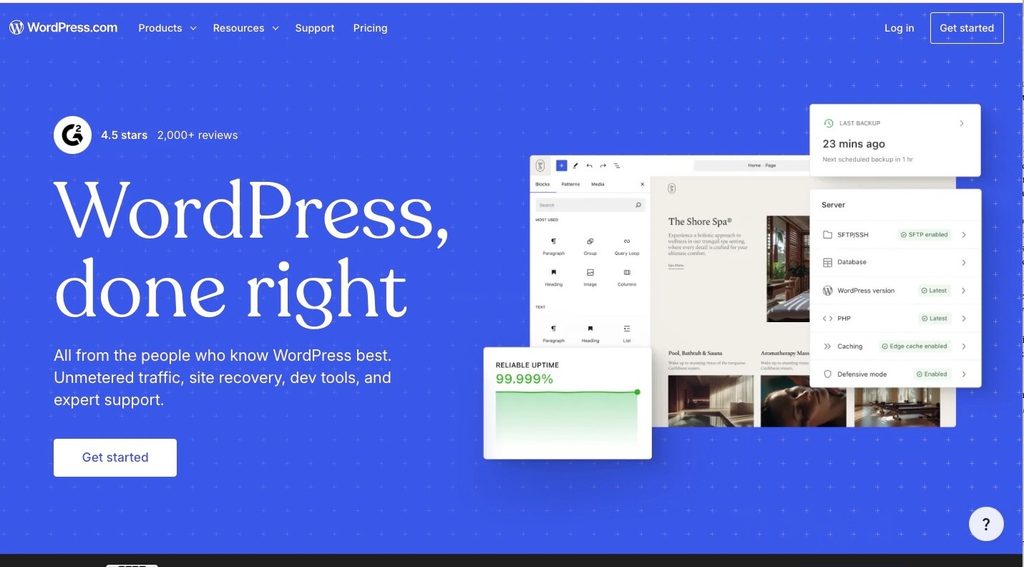
WordPress.com takes a different approach from the website builders above. It has its roots in blogging and publishing, making it particularly relevant for websites built around articles, guides, news, and other regularly updated content.
It is accessible to beginners, but the combination of themes, blocks, plugins, and different site settings can require more learning than a more guided website builder.
What makes WordPress.com different
The block editor lets you assemble pages from individual elements such as text, images, buttons, columns, and media. Themes provide the overall design, while paid plans offer additional options to extend the site.
This structure works well for content-heavy websites, though beginners looking for a simple business site may find it more complex to understand.
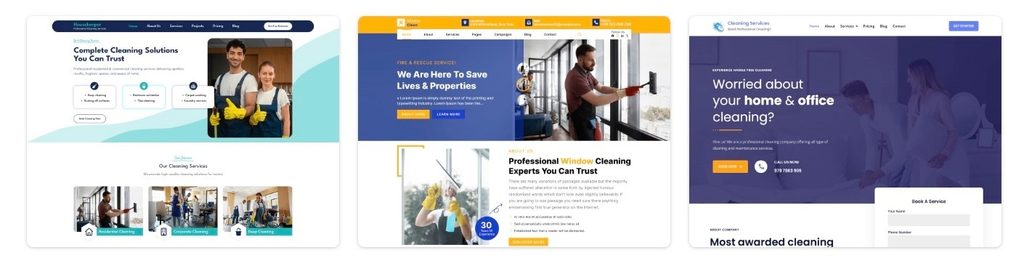
Using the same cleaning company inputs, the platform produced a functional starting point with the essential sections in place. The design felt fairly generic, though, and required more editing to develop a more distinctive visual identity.
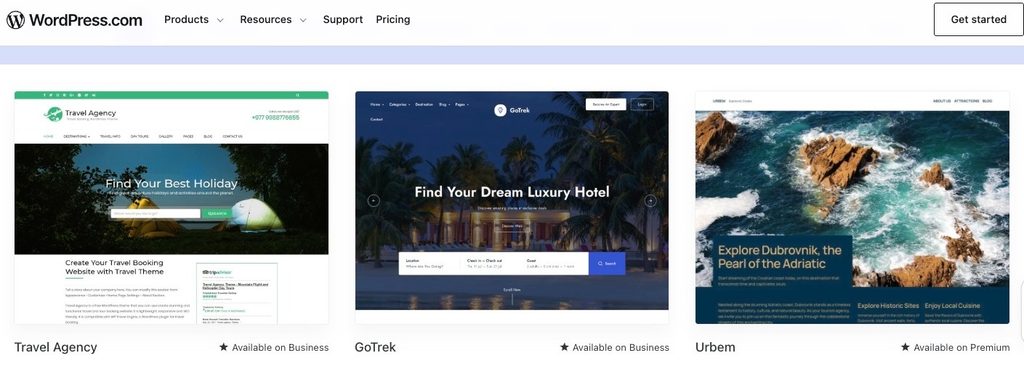
The generated travel site covered the expected content well, but its visual style was also relatively conventional and needed further refinement.
Key website features include:
- Publishing tools: Manage posts, pages, categories, authors, and other content
- Block editor: Build pages using individual text, image, media, and layout blocks
- Theme library: Choose an existing design as the foundation for your website
- AI tools: Get assistance with website creation and written content
- Plugin support: Add extra functionality on eligible paid plans
Pricing
WordPress.com offers a permanent free plan with a WordPress.com address and 1 GB of storage.
With annual billing, Personal starts at $4 per month, Premium at $8, Business at $25, and Commerce at $45 per month. Monthly billing costs more.
WordPress.com is one of the more affordable options in this list, particularly for publishing. The main consideration for beginners is that its workflow is less guided than the top-ranked website builders.
Squarespace: Best for structured website design
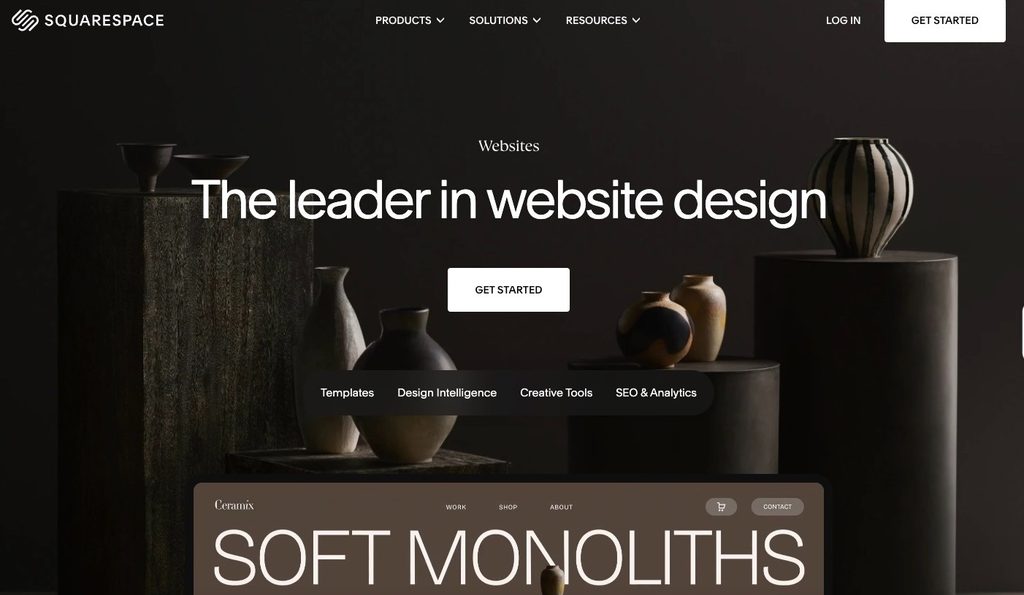
Squarespace provides a more structured approach to website design. Beginners start with an existing design and build pages using sections and content blocks, rather than controlling every element individually. It can produce a clean business website without coding, but there is no permanent free plan, and users still need to make many of the decisions around layout, content, and overall presentation.
What makes Squarespace different
Squarespace keeps much of the website experience within one platform, including the editor, hosting, blogging, e-commerce, and other business features.
The section-based editor provides a balance between structure and design control. It is relatively approachable, though beginners may spend more time choosing and arranging sections than with a more automated, AI-first workflow.
With the same cleaning company details entered, the generated site covered the basics well. The layout was fairly standard, though, and needed more work to develop a stronger visual identity.
The travel agency brief resulted in an industry-relevant site, though the design itself followed a familiar structure and did not stand out as much visually.
Key website features include:
- Section-based editing: Build pages by adding and arranging structured sections
- Website templates: Start with predefined designs for different businesses and purposes
- AI assistance: Generate and refine website copy and other content
- Built-in business tools: Access blogging, ecommerce, memberships, and related features
- Responsive design: Websites adjust across desktop and mobile screen sizes
Pricing
Squarespace does not have a permanent free plan, although a free trial is available.
With annual billing, Basic starts at around $16 per month and Core at around $23 per month, with higher tiers available for additional commerce features.
Squarespace provides a manageable visual building experience, but the lack of a permanent free tier makes it harder to recommend above builders that beginners can continue using without immediately committing to a subscription.
How to choose the right AI website builder as a beginner
The right tool depends entirely on what kind of beginner you are. Here are a few questions to ask yourself before you decide.
How much guidance do you need?
Think about whether you want the AI to make almost every decision for you, or whether you would rather have a simple starting point you can adjust yourself. If you are nervous about design choices, look for a builder who removes as many decisions as possible.
Do you already have a logo?
A builder with logo design tools built in can save you from juggling a second app just to finish your basic branding. A unified starting point builds confidence faster than piecing tools together on your own.
How much design control do you eventually want?
There is a real trade-off between simplicity now and flexibility later. Builders that hand you a finished site with very little to touch feel safest at first, but a builder with a bit more depth can support you as your skills grow.
What does your site need to do?
Some beginners need a simple portfolio. Others want a place to write regularly. Others just need a basic page for a small business. The primary function of your site should guide which platform you pick, since a tool built for visual polish may not offer the writing depth a blogger needs.
How much is your budget while you are learning
Free plans are the best way to test a platform without any risk, but most come with real limitations around custom domains, storage, or advanced features. There is no reason to pay anything up front while you are still figuring out what you actually need.
Final verdict
Choosing an AI website builder as a beginner comes down to finding a platform that makes the process clear from the start and gives you enough flexibility to develop the site as you learn.
Design.com is our top choice for beginners, offering the strongest overall balance between ease of use, AI assistance, free access, and room to build a wider business presence. BrandCrowd comes close, with an approachable website editor and plenty of design options for users who want a similarly straightforward experience.
For someone building a first website in 2026, both provide an accessible starting point, with Design.com taking the lead overall.