The Official Guide to Free AI Business Card Makers in 2026
A weak business card can cost you a follow-up email. People judge a brand in seconds, and a card made from a dated template rarely earns a second glance. Most founders and freelancers don’t have hours to spend in a design tool, and hiring a designer for a single card rarely makes financial sense.
AI business card makers solve this problem directly. You describe your business, and the AI generates polished, on-brand card designs in seconds. No design background is required, and most platforms let you customize fonts, colors, and layouts until the card feels like your own.
To help you find the right fit, we rounded up the best free AI business card makers available in 2026, breaking down what each one does well and who it suits best.
Quick comparison table of AI business card makers
| Tool | Best For | Free Plan | AI Powered | Price |
| Design.com | Fast AI-driven branding | Yes, no limits | Yes | Free; Paid plans from $3/mo annual |
| BrandCrowd | Templates plus print in one place | Yes, no limits | Yes | Free; Paid plans from $3/mo annual |
| Canva | General design work | Yes | Yes, general purpose | Free; Around $12/mo for Pro |
| Adobe Express | Cross-device editing | Yes | Yes, general purpose | Free; Around $9.99/mo for Premium |
| Fotor | Direct AI generation plus editing | Yes | Yes | Free; Pro from $8.99/mo (around $3.33/mo billed annually) |
Best free AI business card makers
These five stood out for genuinely generating business cards with AI, rather than just handing you templates to browse and fill in.
Each review below breaks down what the tool does well, who it’s best suited for, and what it costs after the free plan.
1. Design.com
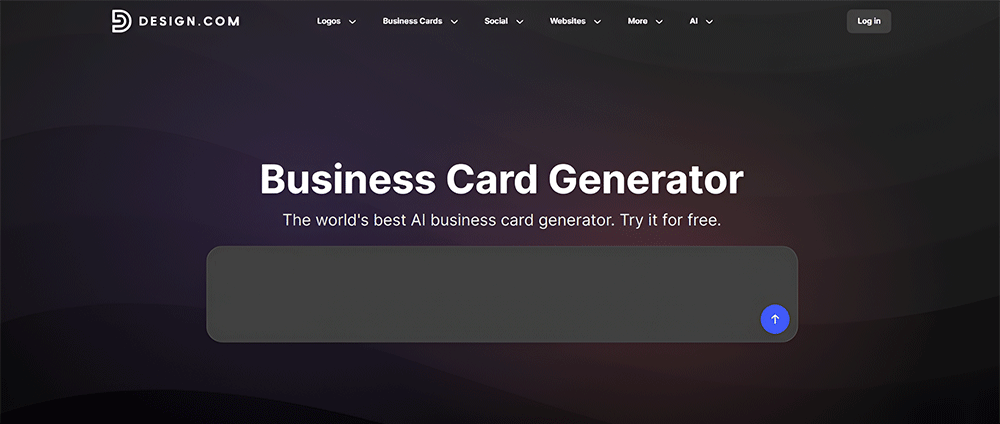
Design.com’s AI business card generator takes a different approach than most platforms on this list. Instead of handing you a folder of static templates to scroll through, it generates a full set of card designs from your business name and a short description in a matter of seconds.
The AI adapts each option based on your industry, your input, and the style you are going for. You can refine the results further by adding keywords or editing your original prompt, which keeps narrowing the options until one feels right.
Once you land on a design, the editor gives you full control over fonts, colors, layout, and positioning. You can add shapes, curved text, and gradient effects without touching a single design principle yourself.
To see it in action, here are just six sample business cards, out of 10,200+ Design.com generated, for a flower shop called Blossom & Bloom:
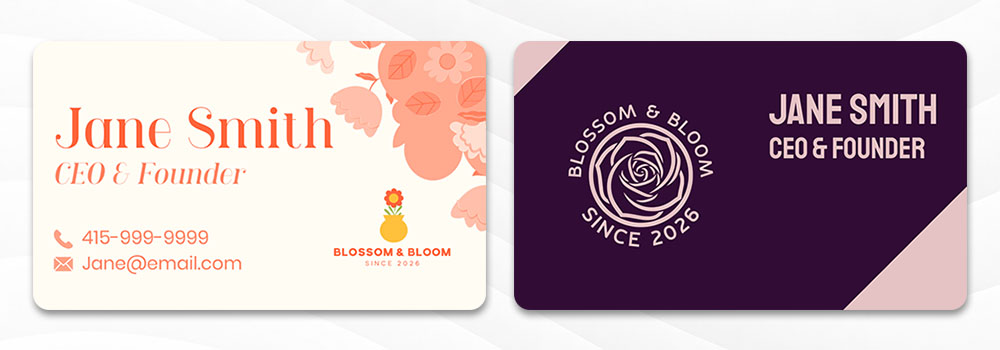
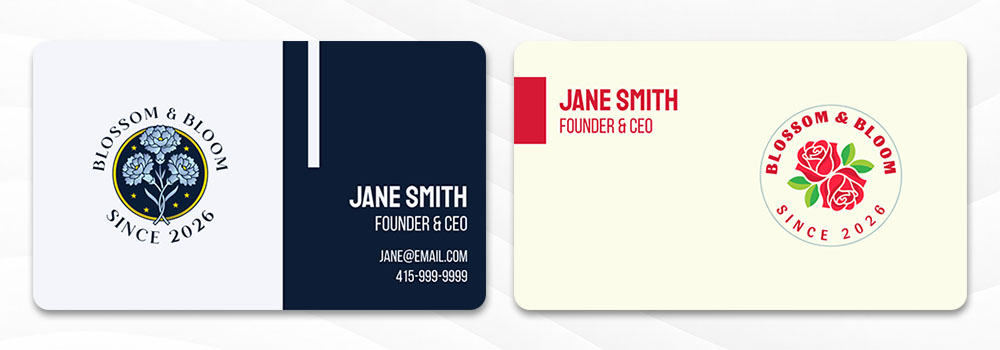
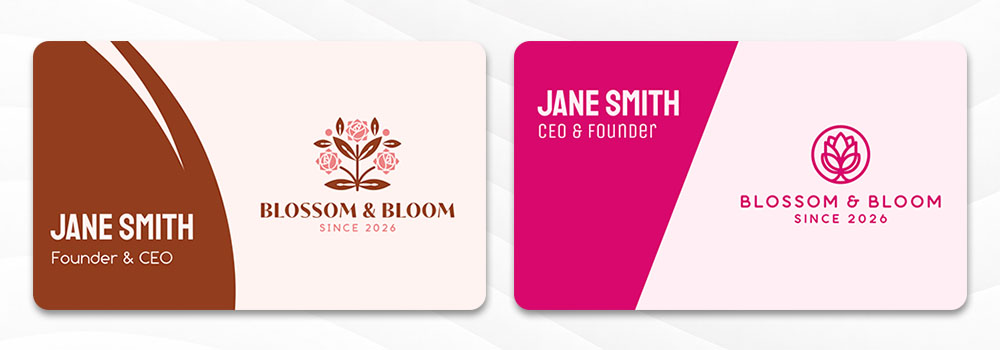
Every card syncs automatically with any logo you’ve already created on Design.com, so your branding stays consistent across all assets. You can preview the finished card before downloading, removing the guesswork about what the printed version will actually look like.
Best for
- Restaurants and shops that want fast, on-brand results with minimal effort
- New businesses that need a full brand identity built quickly
- Owners who want professional files without hiring a designer
Key features
- Generates thousands of design variations instantly from a name and a short prompt
- Full customization of fonts, colors, layouts, shapes, and gradient effects
- Automatic brand sync with logos and assets built on Design.com
- Real-world card preview before downloading
- High resolution PNG and JPG files plus vector SVG, EPS, and PDF files
- All output optimized for commercial print quality
- Option to get your cards printed directly through the platform, with support from the design team if you need it
- Designs saved to your account for future edits
Pricing
- Free templates to edit, download, and use with no limits, and every file type included on the free plan
- Paid plans are billed annually and start at $3 per month for the Starter package
- Value sits at $4 per month, and Premium sits at $5 per month, each adding more assets like websites, digital business cards, and link-in-bio pages
Design.com is the fastest route from idea to a finished, print-ready card, and the brand sync feature alone puts it ahead of most tools on this list.
2. BrandCrowd
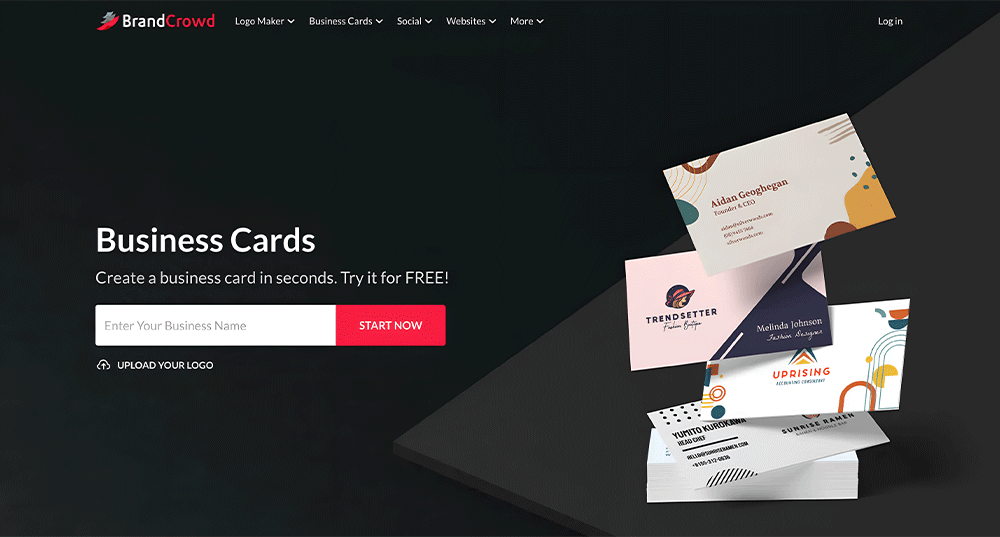
BrandCrowd’s business card generator comes from a library of more than 3,000 designer-made templates, organized by industry, so you choose from real branding work rather than a blank page. It pulls your business name and logo straight into a finished layout, which gets you to a usable design fast.
Every template stays fully editable. You can adjust fonts, colors, layout, icon placement, and backgrounds until the card matches your brand exactly.
Here’s what business cards from BrandCrowd look like:
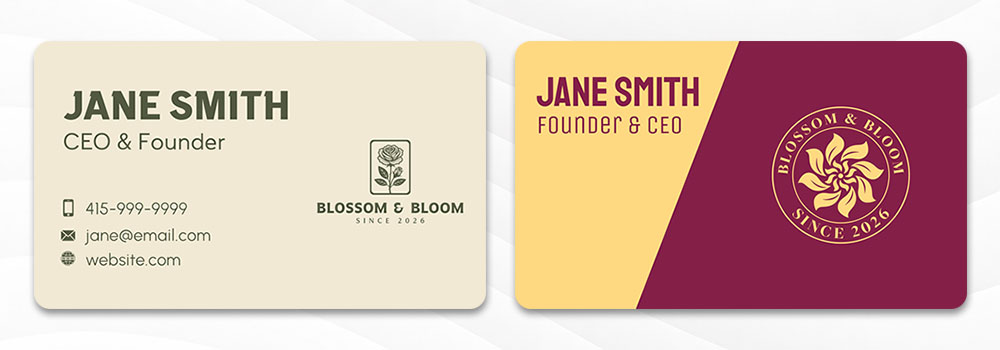
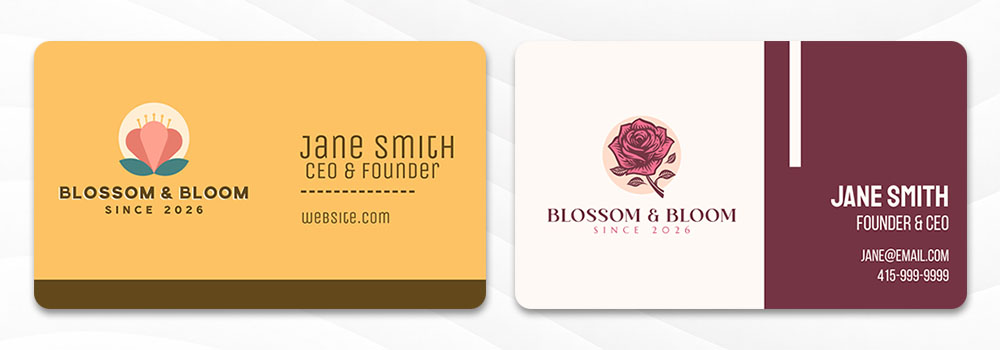
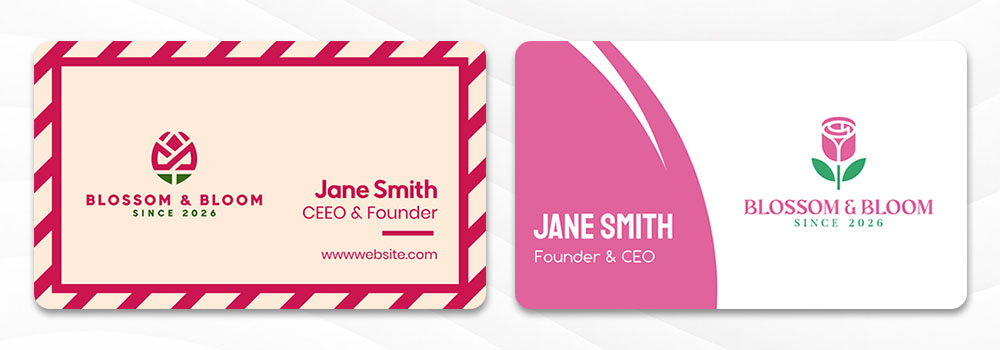
The platform automatically syncs your logo and brand colors into the design, so everything stays consistent without extra work on your end. You can also save multiple versions of a card and return to edit them later from your account.
What sets BrandCrowd apart from many design-only tools is its built-in print service. You can order anywhere from 250 to 5,000 cards, choose single or double-sided printing, pick rounded or square corners, and select matte or glossy finishes, all without leaving the platform.
Best for
- Local businesses that want designer-quality templates with no limits on the free plan
- Owners building or refreshing a full brand identity across several asset types
- Anyone who wants polished results and, optionally, physical cards without juggling separate tools
Key features
- Over 3,000 professionally designed templates with industry-specific layouts
- Fully editable fonts, colors, layouts, icon placement, and backgrounds
- Automatic brand integration that pulls in your logo and brand colors
- Save and compare multiple design versions from your account
- High resolution downloads in SVG, EPS, and PDF formats
- Print orders from 250 to 5,000 cards with standard and premium finishes
- Free worldwide shipping is included on print orders
- Access to 50+ additional design tools across the platform
Pricing
- Free to search templates, edit, and download, with no limits and every file type included on the free plan
- Paid plans are billed annually and start at $3 per month
- Higher tiers add extras like unlimited edits across more asset types and a built-in website builder
BrandCrowd earns the runner-up spot for pairing strong templates with a built-in print service, so you’re never stuck moving files between platforms.
3. Canva
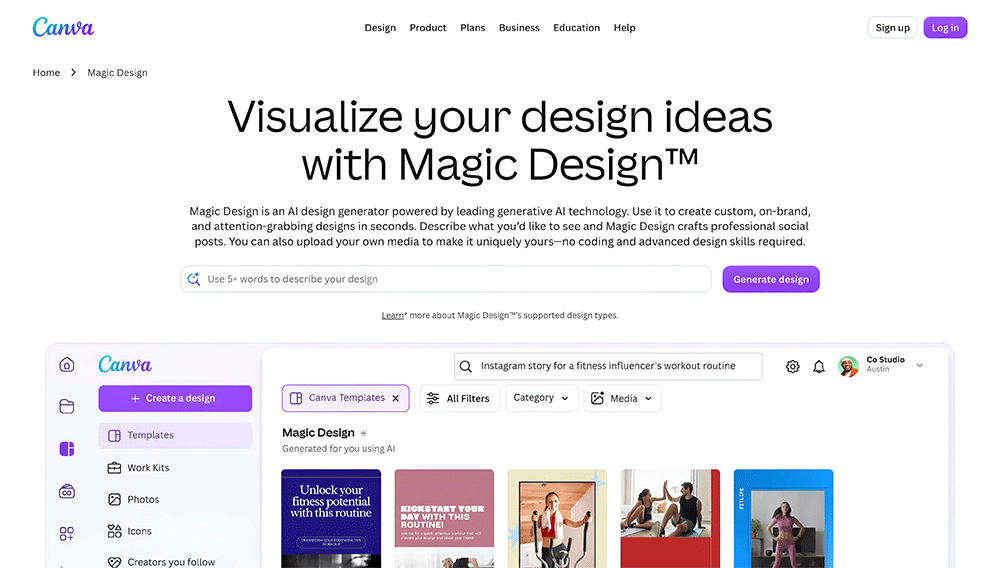
Canva is one of the most widely used design platforms, and its business card maker is a natural fit if you already use it for menus, flyers, or social posts. The free plan covers most of what a small business needs, from template selection through export.
Its AI tool, Magic Design, can generate card options from a short prompt, which speeds up the starting point even if most of the editing still happens by hand. The template library runs into the thousands, covering nearly every industry and style.
Here’s a sample business card that Canva’s Magic Design made:
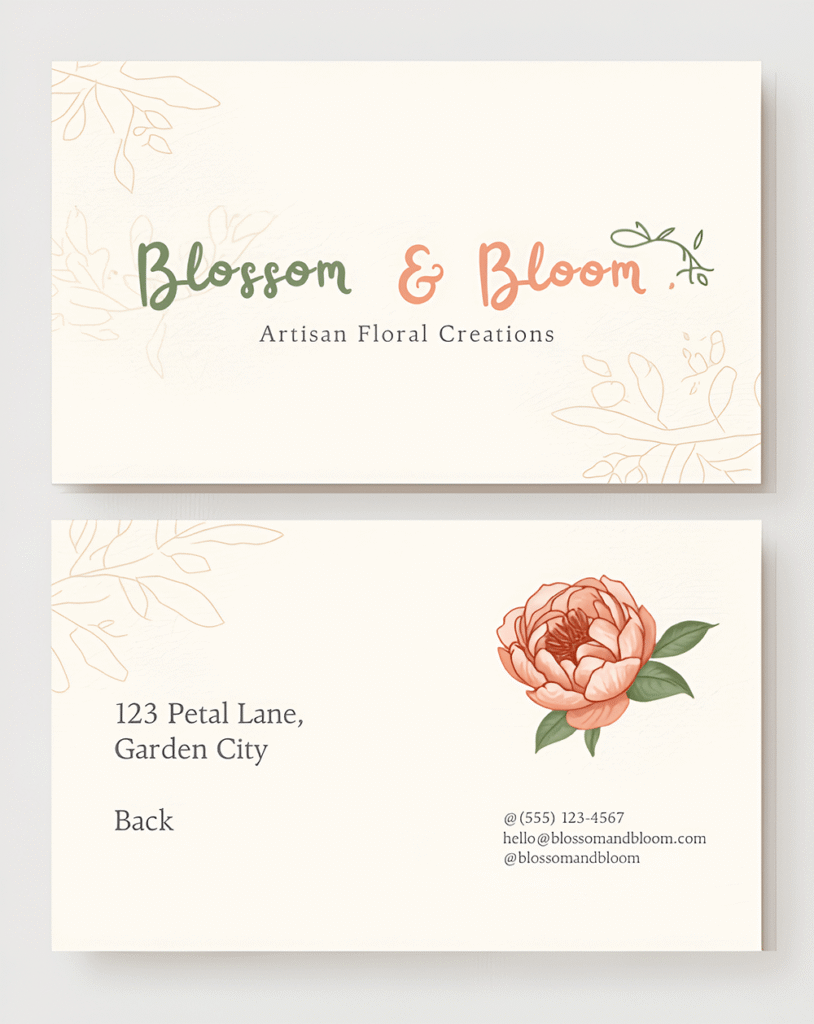
Canva also offers print-and-ship service, so you can move from design straight to a physical order without switching tools. This makes it a strong choice for owners who want maximum choice and are comfortable spending a bit more time browsing.
Best for
- Business owners already using Canva for other marketing materials
- Shops that want a free, easy-to-use starting point
- Teams where multiple people need to edit and share designs
Key features
- Thousands of business card templates across dozens of industries
- Drag and drop editor with real-time collaboration
- Magic Design tool generates card options from a prompt
- Upload your own logo and brand photos directly into the editor
- Print and ship service available directly through Canva
- Download as PNG, PDF, or print-ready PDF with bleed marks
Pricing
- Free plan includes basic templates and standard downloads
- Canva Pro runs around $12 per month billed annually, or $18 per month billed monthly, and unlocks premium templates, brand kits, and higher-quality exports
- Print pricing varies by quantity and finish selection
Canva’s AI generation is genuine, though it lives inside a general-purpose tool that also builds posters and presentations, rather than a generator built specifically for cards.
4. Adobe Express
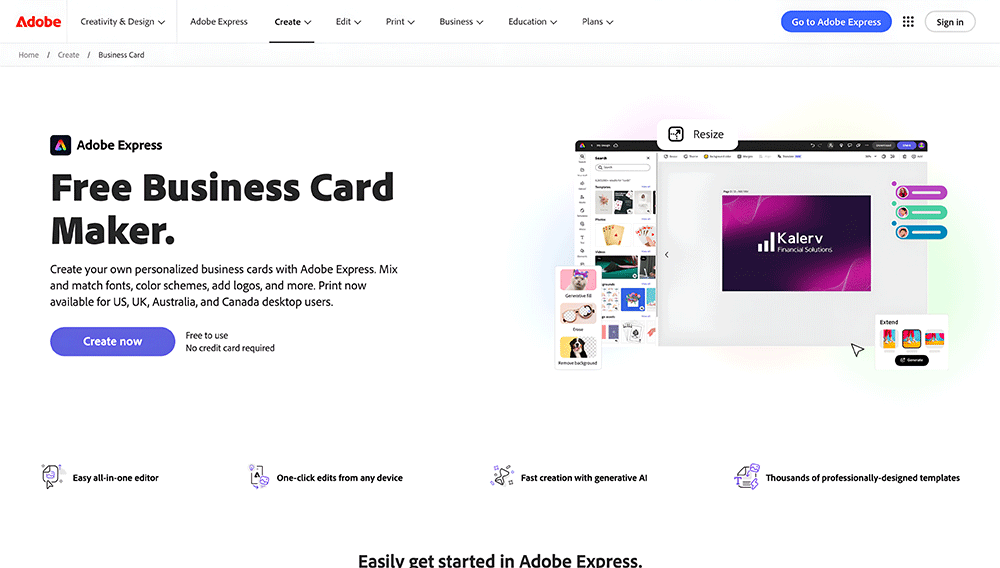
Adobe Express brings Adobe’s design quality into a tool built for people with no design background. For local businesses that want sharp, polished cards without a steep learning curve, it strikes a good balance between simplicity and control.
The tool works as both a desktop program and a mobile app, with your work syncing across devices. You can start a card on your laptop, tweak it on your phone, and finish it later without losing progress.
Here are some business card samples that Adobe Express gave us for a flower boutique:
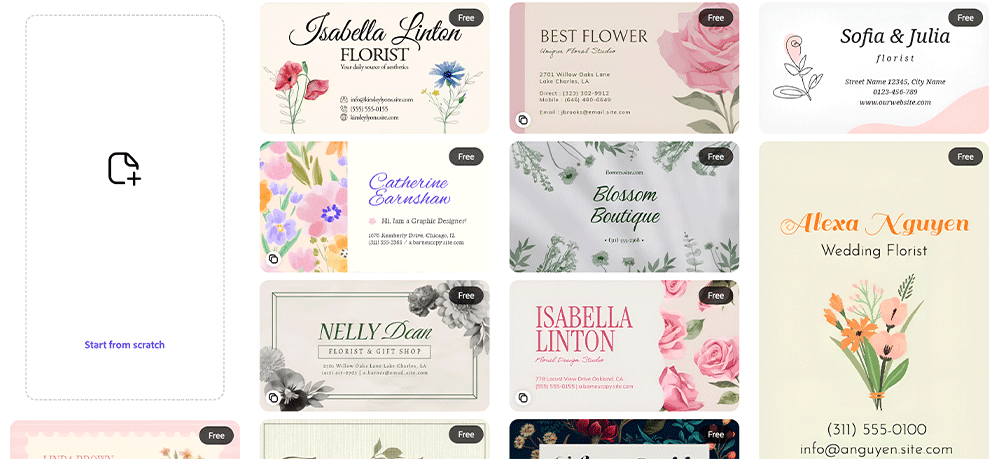
Its AI Template Generator can produce card layouts from a text description, while its integration with Adobe Fonts and Creative Cloud assets gives you more room to fine-tune the final look. One-click background removal also makes uploading a logo or photo much cleaner.
Best for
- Shops and restaurants that prioritize design quality above all else
- Business owners who also use Adobe tools for other creative work
- Anyone who wants AI help generating card layouts from a text prompt
Key features
- AI-powered card generation using text descriptions
- Clean, high-quality templates designed by professional designers
- Full editing of fonts, colors, photos, and layout elements
- Integration with Adobe Fonts and Creative Cloud assets
- One-click background removal for logo or photo uploads
- Download as PNG or PDF with print-ready quality
Pricing
- Free plan available with access to a solid range of templates and features
- Adobe Express Premium runs around $9.99 per month and includes premium templates, Adobe Fonts, and advanced AI features
- Included at no extra cost with a full Creative Cloud subscription
Adobe Express delivers strong design quality, though its AI generator lives inside a general-purpose tool that also builds flyers and social posts, rather than a generator built specifically for cards.
5. Venngage
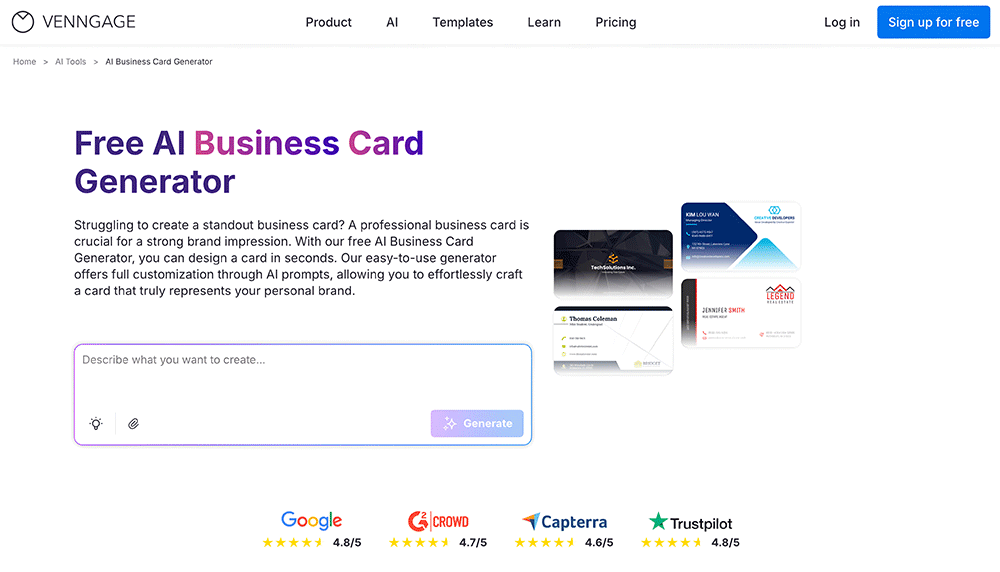
Venngage is best known for infographics and reports, and its AI business card generator uses the same prompt-based approach. Describe your name, role, brand colors, and the style you want, and the AI builds a full card layout around that description.
It’s a genuine AI generator, not just a template picker, and it’s a natural fit if you might also need branded proposals, one-pagers, or reports down the line, since all of that lives on the same platform.
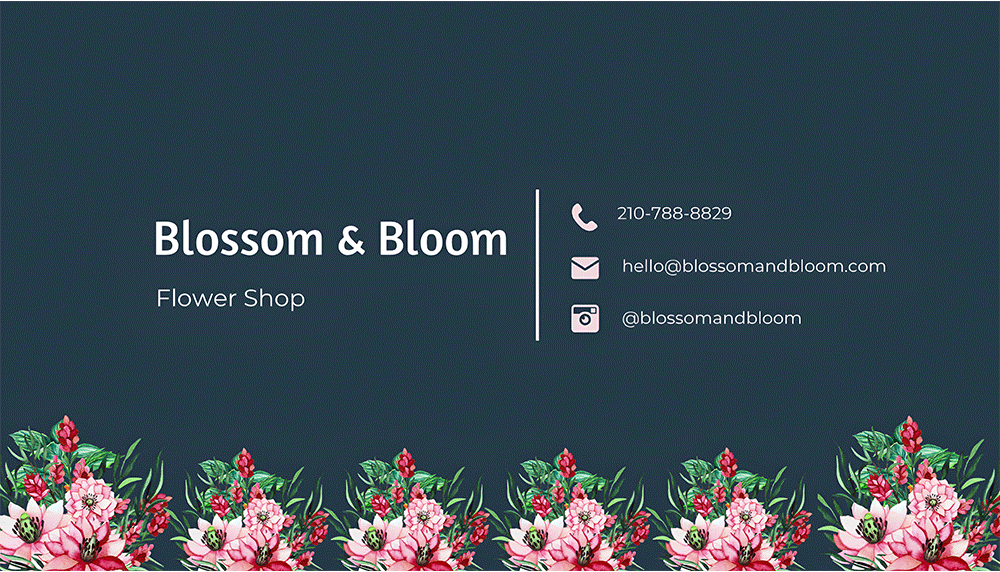
Here’s what an AI-generated business card from Venngage looks like:
The catch is the free plan doesn’t include downloads. You can generate and test as many designs as you want at no cost, but exporting your finished card requires a paid plan.
Best for
- Small business owners and marketers who want a quick, prompt-based card
- Anyone who wants to try AI generation before committing to a paid plan
- Users who may also need infographics, reports, or one-pagers from the same platform
Key features
- Prompt-based AI card generation from a written description
- Full customization of fonts, colors, spacing, and contact info placement
- Designs cleared for personal and commercial use with no copyright restrictions
- Free plan available to test AI generation before upgrading
- Downloads as PNG, with higher resolution options on paid plans
Pricing
- Free to generate and test AI business card designs, though downloads are not included
- Premium plan starts at $10 per month billed annually, or $19 per month billed monthly, and unlocks downloads plus brand kit and collaboration tools
Venngage is a solid alternative for anyone who wants genuine AI generation from a prompt and might use the same account for other branded documents, though you’ll need to upgrade before you can actually download your card.
How to choose the right tool
Picking a business card maker comes down to a handful of practical questions about your brand, not a search for the single best tool. Answer these honestly to know the right platform to use for your brand:
Where are you in building your brand?
If you’re starting from scratch, prioritize a tool that includes a logo maker, since building them separately usually means having to redo one to match the other. If your branding is already set, you mainly need a clean editor and the right export format, not a full brand builder you’ll never fully use.
Do you want digital files or a physical order?
Some tools stop at the download and leave printing to you, which is fine if you already trust a local or online print shop. Others let you order physical cards directly from the same platform, saving a step if you want cards in hand without managing a separate order.
Do you want AI to generate the card, or just help you edit one?
Some tools build a full card from a short prompt or your business details, which is faster but hands you fewer decisions along the way. Others treat AI as a starting point inside a broader editor, so you’ll do more hands-on adjusting after the first draft. Neither approach is better; it just depends on whether you want speed or control.
What’s your budget beyond the free plan?
Free template access is common, but the details behind it vary a lot. Check whether downloads include every file type you need, whether there’s a watermark, and whether there’s a cap on how many designs you can create, since those limits shape whether the free plan actually covers what you need or just gets you partway there.
The real value is in what comes next
The business card is rarely the last design a small business needs. It’s usually the first of several, followed by a matching logo, a website, social posts, and an email signature, all of which need to look like they came from the same place.
That’s the gap Design.com is built to close. Its free plan extends well past the card generator, into an AI logo maker, social media graphics, letterheads, an email signature generator, a website builder, and a digital business card, all built from the same brand assets, so nothing has to be recreated from scratch.
BrandCrowd is the strongest runner-up, especially if you want to pair digital design with direct print ordering through the same platform without ever downloading a file to send elsewhere.
Whichever tool you pick, the goal is the same: a card that looks like it took hours to make, without actually taking hours to make.
FAQs on AI business card makers
Can AI actually design a good business card?
Yes. Tools like Design.com generate full layouts from a short prompt, then let you refine fonts, colors, and structure until the design matches your brand.
What file formats do I get after designing a card?
Most tools export high-resolution PNG and JPG files for digital use, as well as vector formats such as SVG, EPS, and PDF for professional printing. Design.com and BrandCrowd both include every file type on their free plans.
Do free AI business card makers add watermarks to designs?
This depends on the platform. Design.com, BrandCrowd, and Fotor all allow watermark-free downloads on their free plans, while some other tools reserve full-quality exports for paid tiers.
Can I use an AI-generated business card for professional printing?
Yes, as long as the platform supports vector export formats such as SVG, EPS, or PDF. Design.com and BrandCrowd both provide these formats specifically for commercial print use.
Do I need design experience to use an AI business card maker?
No. Tools like Design.com are built for a beginner-friendly workflow in which you can generate, customize, and download a card in minutes, even without a design background.
Can AI business cards match my existing brand identity?
Yes, if the platform supports brand syncing. Design.com automatically pulls in your logo, fonts, and colors from assets you’ve already created, keeping your business card consistent with the rest of your brand.
Read more on design here:
Hannah Suroy suroy brings clarity to complex topics across entertainment, business, and creative industries. She specializes in translating industry trends and innovations into engaging content that helps readers understand the creative process behind the work they love.