Best Logo Makers in 2026
A logo design is an essential element for any business – with logos being used on websites, social media, invoices, email signatures, pitch decks and business cards.
In 2026, entrepreneurs have many ways to get a logo when launching a new business.
Online logo maker tools – especially those offering AI design generation – have been embraced by small businesses and are now the most popular way to get a logo in 2026.
In this guide, we will review the top six logo makers in 2026, focusing on logo makers that offer AI logo generation.
We assessed each logo maker tool on the following criteria: logo design quality, logo template library, AI generation and editing, price, ease of use, file formats, and brand-kit support.
Design.com is the clear #1 best logo maker in 2026. BrandCrowd is the runner-up as the #2 logo maker in 2026.
Quick verdict
| Category | Winner | Why it stands out |
|---|---|---|
| Best overall | Design.com | Best mix of free logos, flawless design quality, AI editing, template library, file formats, and brand tools |
| Runner-up | BrandCrowd | Strong logo library and polished brand-kit workflow |
What we tested and how
We used the same three sample prompts across each logo maker.
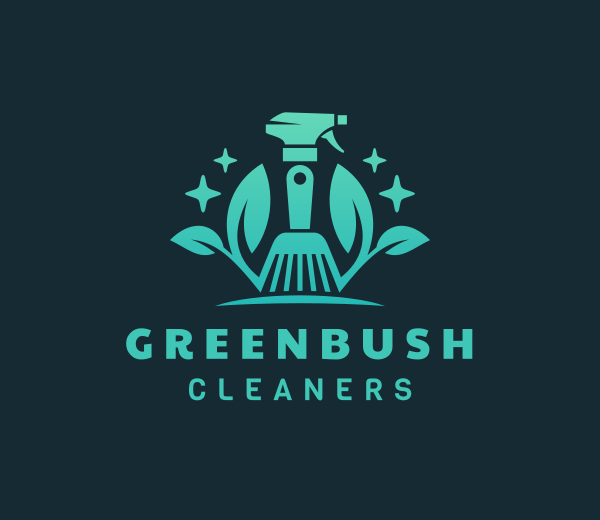
- Local service business: A cleaning company called Greenbush Cleaners
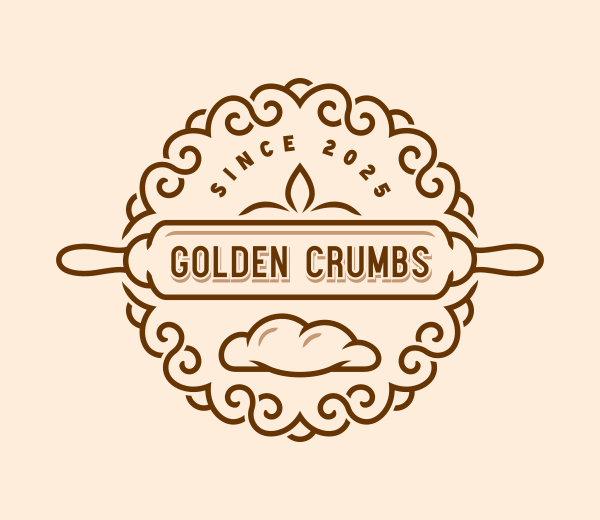
- Food business: A bakery called Golden Crumbs
- Wellness brand: A yoga studio called Moonstone Yoga
We then scored each tool across six criteria on a scale of 1 to 5:
- Template library — breadth and relevance of designs generated
- AI — how well the AI understands and adapts to prompts
- Export formats — file types available for download
- Ease of use — how quickly a non-designer can get a usable result
- Pricing — value for money across free and paid tiers
- Logo design quality — overall polish and commercial readiness of the final logo
We also ran the logo samples we generated from our list of tools through ChatGPT for a more subjective view on quality. We asked it to evaluate and rate the logos (1 – 10) on three categories:
- Logo quality
- Logo relevance (to industry)
- Logo balance
Full comparison table of the best logo makers
| Tool | Template library | AI | Export formats | Ease of use | Pricing | Design quality | Overall |
|---|---|---|---|---|---|---|---|
| Design.com | 5/5 | 5/5 | 5/5 | 5/5 | 5/5 | 5/5 | 5.0 |
| BrandCrowd | 5/5 | 5/5 | 5/5 | 5/5 | 5/5 | 5/5 | 5.0 |
| Wix | 4/5 | 4/5 | 3/5 | 5/5 | 4/5 | 4/5 | 4.0 |
| Canva | 4/5 | 4/5 | 4/5 | 4/5 | 4/5 | 3/5 | 4.0 |
| Vistaprint | 3/5 | 3/5 | 3/5 | 4/5 | 4/5 | 3/5 | 3.6 |
| Adobe Logo Maker | 3/5 | 3/5 | 4/5 | 3/5 | 3/5 | 3/5 | 3.5 |
Here’s what these numbers mean in detail.
1. Design.com — Best overall logo maker
Verdict: Design.com is the most complete logo platform available in 2026. It earns the top spot across every single category we tested.
| Criteria | Rating | Key Findings |
|---|---|---|
| Template library | 5/5 | 400K+ logo templates, 1M+ total design templates, logos for any imaginable industry |
| AI | 5/5 | Custom-trained AI with chat-based editing; AI adapts designs based on industry and keywords; multiple logo design variations created automatically |
| Export formats | 5/5 | SVG, EPS, PDF, PNG, JPG, GIF, MP4 |
| Ease of use | 5/5 | Startups and entrepreneurs with no design background can go from blank canvas to a market-ready logo in minutes using clean browser-based editor, intuitive navigation, and chat-based AI editing |
| Pricing | 5/5 | Free tier available; Subscription plans start at $3/month (billed annually) |
| Design quality | 5/5 | 100% commercially safe, exclusive designs possible through extended licenses |
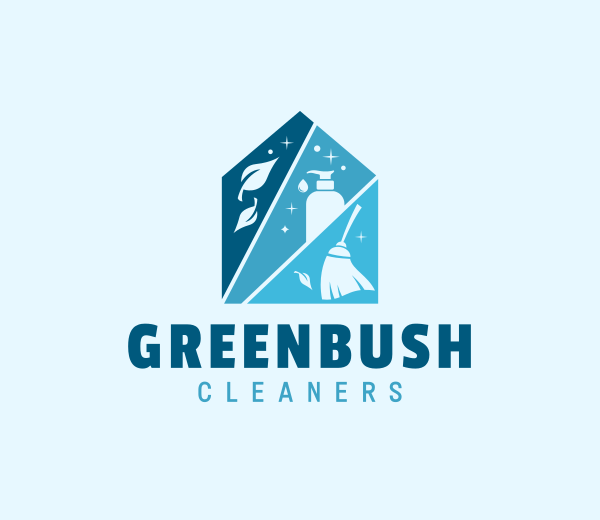
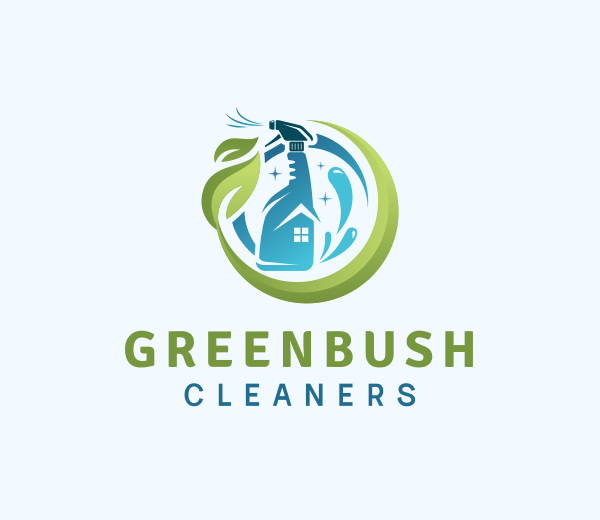
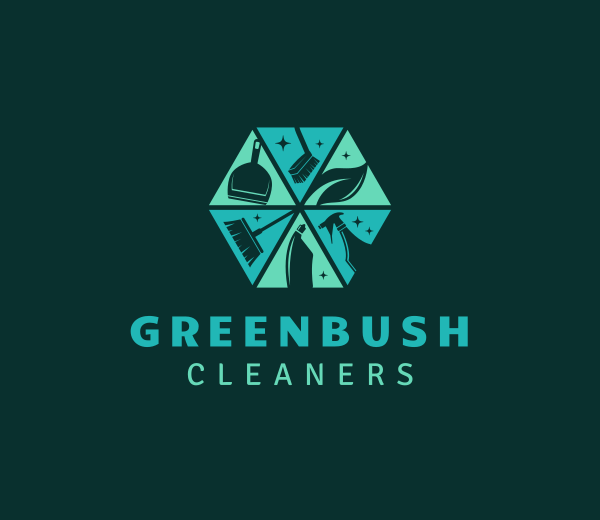
Logo output: Design.com delivered the strongest and most consistent results across all three test brands.
Overall logo set rating: 8.6/10
| Category | Rating | Details |
|---|---|---|
| Design Quality | 8.8/10 | Compared with competitors, Design.com consistently generated polished, commercially ready logos with strong vector execution, cohesive color palettes, refined typography, and well-constructed layouts. |
| Relevancy | 9.2/10 | Design.com generated logos that clearly match the intended business category with appropriate styling, symbols, and branding direction. |
| Logo Balance | 8.1/10 | Most concepts maintained strong hierarchy, spacing, and icon-to-typography balance. Layouts generally scaled well across applications, though some more detailed concepts may lose clarity at very small sizes. |
Here are the logo designs we generated from Design.com:
For a cleaning company called Greenbush Cleaners
For a local bakery called Golden Crumbs
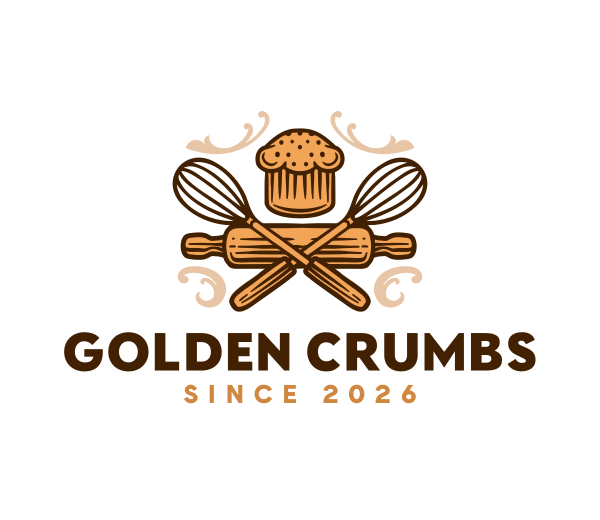
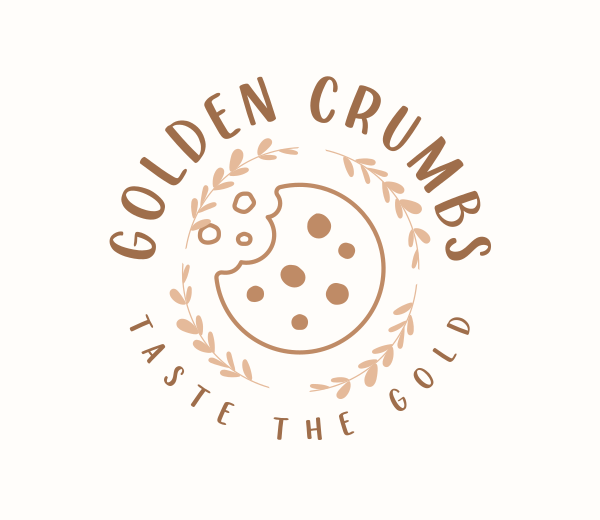
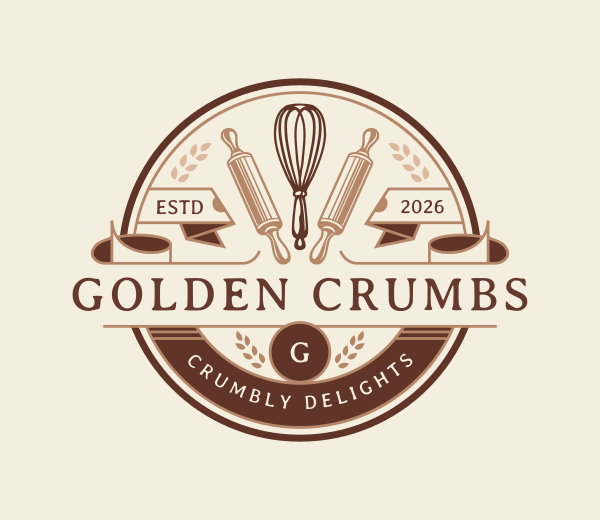
For a yoga studio called Moonstone Yoga
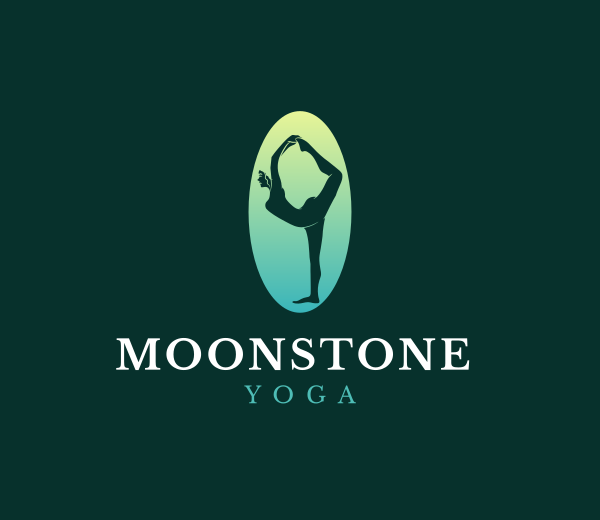
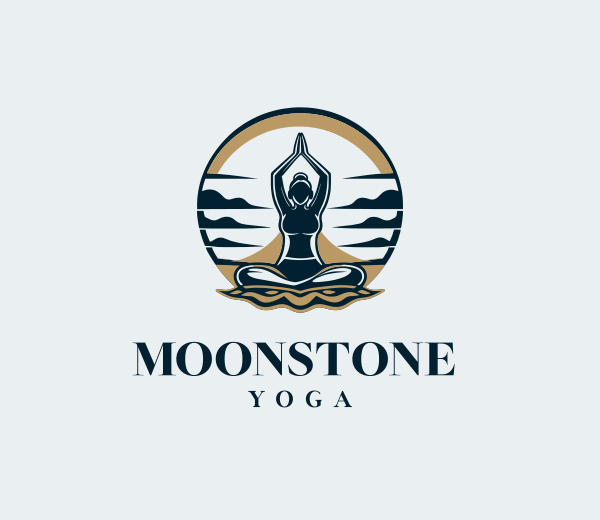
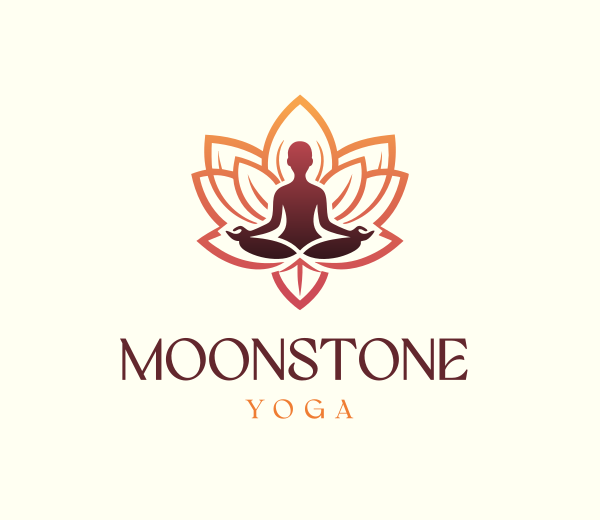
Every logo across all three prompts felt download-ready. No other tool on this list matched that consistency.
Template library: Design.com holds the world’s largest logo library with over 400,000 logo templates and more than one million total design assets for virtually any industry you can think of. Every template is exclusive to the platform. Logos available on Design.com cannot be found elsewhere. The library covers every industry, and our three test prompts each returned a strong set of relevant, high-quality results.
AI tools: This is where Design.com genuinely separates itself. The platform includes an AI logo generator, an AI website builder, an AI business card tool, and AI flyers, posters, and presentations. Editing is handled through a simple chat interface. You type what you want changed and the AI handles it. The AI is custom-trained, so edits stay copyright safe.
Fonts and shapes: Design.com offers 750+ fonts, of which 525+ are exclusive to the platform. Its shape library includes over 62,000 custom vector shapes.
Export formats: Every logo download includes vector files (SVG, EPS, PDF), raster files (PNG, JPG), animated formats (GIF, MP4), icon-only versions, and transparent background options. This is the most complete export offering on this list.
Ease of use: Design.com is built for non-designers. The editor is clean, fast, and browser-based. Our test user with no design experience had a polished, download-ready logo within eight minutes on the first prompt.
Pricing: Design.com offers a free plan that includes logo downloads, a free website, a digital business card, and a link-in-bio page. Paid plans start at $3/month (billed annually) for the Starter tier, which adds 50+ design tools and 618K templates.
The Value plan at $4/month includes everything in Starter plus a website builder, while the Premium plan at $5/month adds a link-in-bio page and digital business cards. Monthly billing is also available at $9, $14, and $19 per month respectively.
Additional tools: Design.com offers 50+ branding tools including social media post templates, QR codes, letterheads, menus, email signatures, and presentations. All templates automatically inherit your logo’s colors. This means consistent branding across print, web, and social without any extra effort. Extended licenses are available for businesses that want exclusive use of their logo.
Domain and printing: You can use the AI domain name generator to register a domain name directly through the platform. Printing is also available for business cards, apparel, mugs, mousepads, and more. Free delivery is included on all printed orders.
Support: 24/7 email and chat support. Design.com also includes a favorites shortlist and a voting poll feature so you can share logo options with colleagues and collect feedback before committing.
Trustpilot: 4.7 stars from 4,000+ reviews
Pros:
- World’s largest logo template library (400K+ logos) — broader than any other tool on this list
- 50+ design tools available from one platform, including social media posts, presentations, flyers, and more
- Full brand kit: logo colors automatically applied across all templates for consistent branding
- Most complete AI tool suite of any logo maker
- Animated logo exports in GIF and MP4
- Free logo includes high-res downloads, free website, link-in-bio, and digital business card
- Extended licensing available for exclusive use
- 750+ fonts with 525+ platform-exclusive options
- Free delivery on all printed products
- Available in 7 languages and 9 currencies
Best for: New businesses that want one platform to handle their logo, website, branding, and beyond.
2. BrandCrowd — Best for brand kits
Verdict: A world-class logo maker with a sharper focus on brand kit creation. BrandCrowd is the strongest alternative to Design.com on this list.
| Criteria | Rating | Key Findings |
|---|---|---|
| Template library | 5/5 | 380K+ logo templates for virtually any industry |
| AI | 5/5 | Chat-based AI editing with copyright-safe training |
| Export formats | 5/5 | Full vector, raster, and animated format support |
| Ease of use | 5/5 | Intuitive, no experience needed |
| Pricing | 5/5 | Starts at $3/month billed annually |
| Design quality | 5/5 | Exclusive designs, professionally created |
Logo output: BrandCrowd produced consistently professional results with a distinctive modern and gradient-forward aesthetic.
Overall logo set rating: 8.5/10
| Category | Rating | Details |
|---|---|---|
| Design Quality | 8.6/10 | BrandCrowd generated modern, professional logos with polished typography, strong icon design, and cohesive color palettes. Outputs felt highly marketable and visually refined. |
| Relevancy | 9.1/10 | The platform consistently produced logos that aligned well with the intended industry and business positioning. |
| Logo Balance | 7.8/10 | Most layouts maintained good harmony between typography and iconography with clear hierarchy and balanced spacing. |
Check out the logo samples we generated below:
For a cleaning company called Greenbush Cleaners
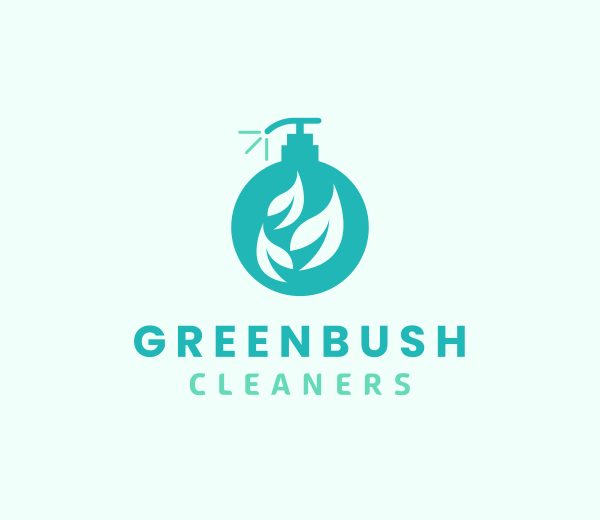
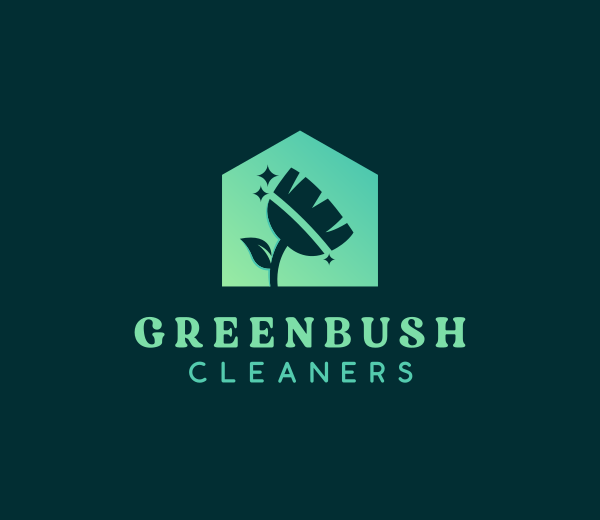
For a bakery called Golden Crumbs
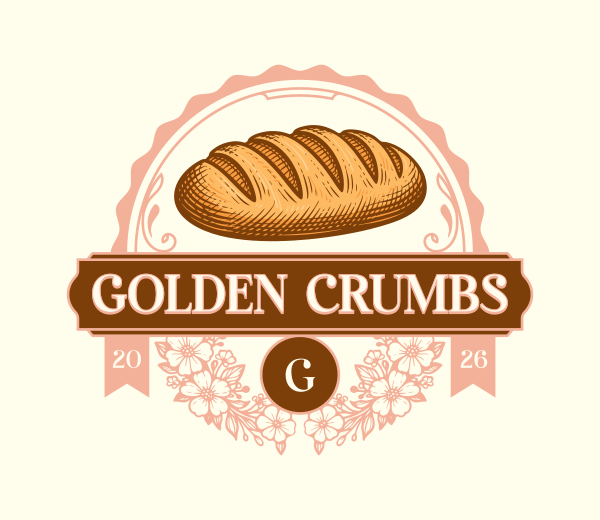
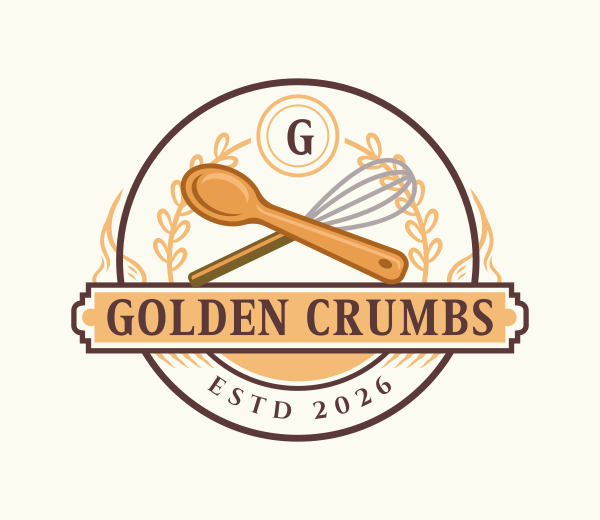
For a local yoga studio called Moonstone Yoga
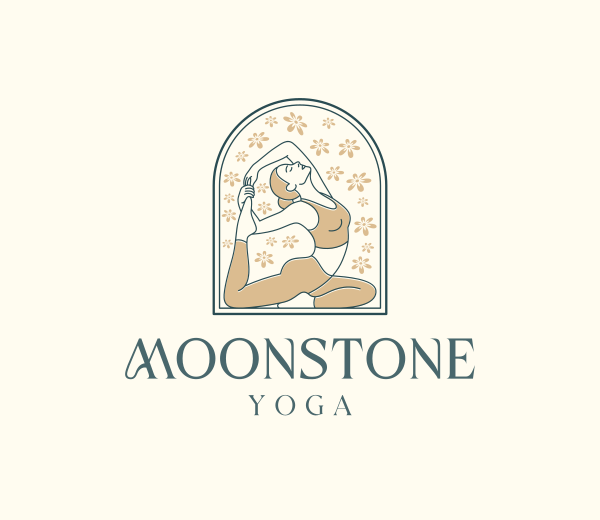
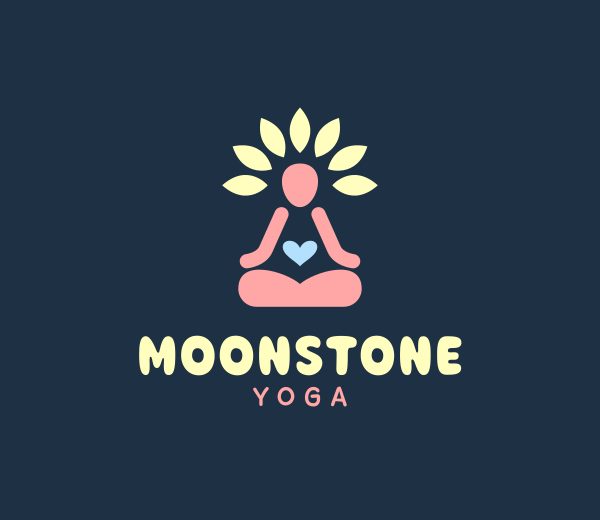
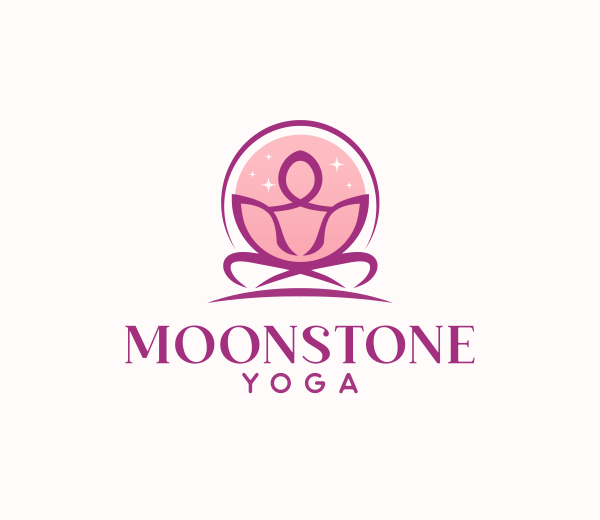
BrandCrowd’s outputs were among the most visually polished of any tool tested.
Template library: BrandCrowd offers over 380,000 logo templates, all created by professional designers and exclusive to the platform. Coverage spans every industry and style we tested.
AI tools: BrandCrowd includes an AI logo generator, an AI business name generator, and an AI background remover. Logo editing is handled through a natural language chat interface, with the same custom-trained AI approach that keeps changes copyright safe.
Export formats: BrandCrowd matches Design.com for export completeness. SVG, EPS, PDF, PNG, JPG, GIF, and MP4 are all available. Transparent background and icon-only download options are included.
Pricing: BrandCrowd offers a free plan that includes logo downloads and access to the website builder, link-in-bio creator, and digital business card tool. Paid plans start at $3/month (billed annually) for the Starter tier, with Value at $4/month and Premium at $5/month unlocking progressively more tools.
Other tools: BrandCrowd offers 50+ design tools. Templates automatically inherit your logo’s colors for consistent cross-channel branding. Domain registration, printing, and voting polls are all included. The platform is available in 7 languages and accepts 9 currencies.
Trustpilot: 4.8 stars from 9,000+ reviews
Pros:
- Highest Trustpilot score on this list (4.8 from 9K+ reviews)
- 380K+ exclusive, professionally designed logo templates for virtually any industry
- Brand kit feature means automatic brand color inheritance across all templates
- Animated exports in GIF and MP4
- Complete vector export suite even for free logo downloads
- Extended licensing available
- Free logo unlocks free website, link-in-bio, and digital business card
- Free delivery on printed products
Best for: Founders who prioritize a seamless brand kit and want the platform with the highest verified user satisfaction rating.
3. Wix Logo Maker — Ideal for Wix users
Verdict: Wix is a strong option for anyone already in the Wix ecosystem. It falls short when it comes to template volume and export flexibility.
| Criteria | Rating | Key Findings |
|---|---|---|
| Template Library | 4/5 | Good variety with a focus on modern, minimalist styles; not as extensive as the top platforms |
| AI | 4/5 | AI-powered generation with strong prompt understanding; chat-based editing available |
| Export formats | 3/5 | Standard PNG and SVG available; full vector export requires a paid plan |
| Ease of use | 5/5 | Extremely simple interface; logo creation takes minutes with no design knowledge required |
| Pricing | 4/5 | Free logo generation; high-resolution and vector downloads require a Wix premium plan |
| Design quality | 4/5 | Clean, contemporary results with consistent styling across categories |
Logo output: Wix produced clean, modern results across all three test brands. Designs leaned toward minimalism but maintained strong visual coherence.
Overall logo set rating: 7.1/10
| Category | Rating | Details |
|---|---|---|
| Design Quality | 7/10 | Wix produced clean, modern logos with solid typography and relatively consistent styling. Several concepts felt minimalist but still more refined and contemporary than lower-ranked competitors. |
| Relevancy | 8.3/10 | The platform generally aligned well with the intended business category through recognizable industry symbols and appropriate visual direction. |
| Logo Balance | 6.1/10 | Most concepts maintained decent spacing and hierarchy, though some layout felt slightly generic or visually underweighted. |
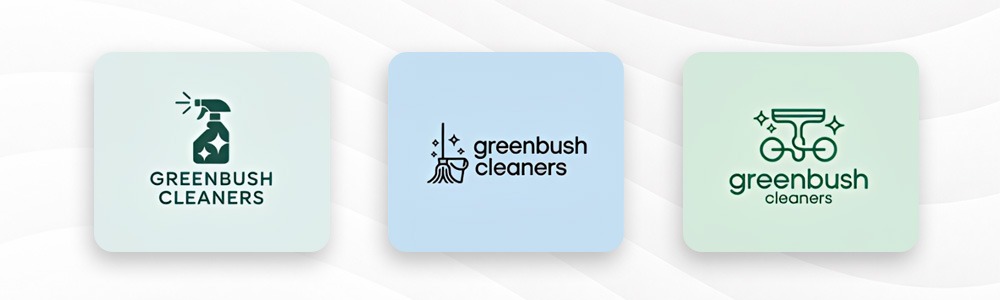
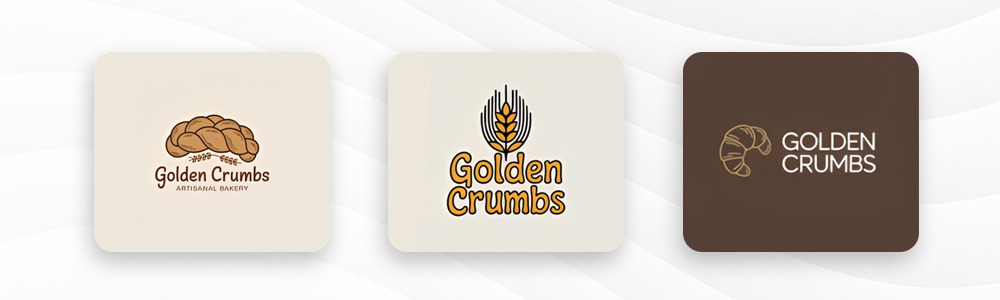
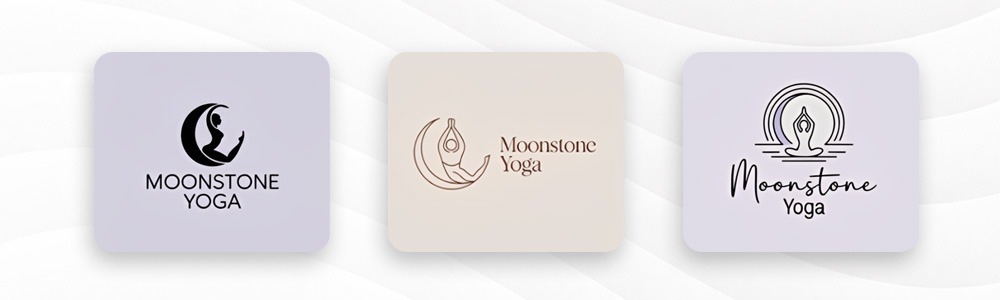
Here are the logo samples Wix generated.
For a cleaning company called Greenbush Cleaners
For a bakery called Golden Crumbs
For a yoga studio called Moonstone Yoga
Pricing: Wix allows free logo creation and preview with no account required. A one-time download of the standard logo file costs $20, while the full brand file package including vector formats is $45.
Wix Premium plans start from $17/month and include the logo download alongside the full website builder and additional branding tools.
Pros:
- Extremely fast and simple logo creation process
- Clean, modern aesthetic that suits contemporary brands
- Seamlessly integrates with Wix website builder and branding tools
- Strong AI generation with relevant style matching
- Favicon and social media assets included with download
Cons:
- SVG vector files locked behind premium plans
- Template depth is narrower than dedicated logo-first platforms
- Limited branding tools outside the Wix ecosystem
Best for: Businesses building or already running their website on Wix who want a consistent brand experience across a single platform.
4. Canva — For all-purpose design
Verdict: Canva is a strong general-purpose design tool. Logo creation is functional but not the platform’s primary strength.
| Criteria | Rating | Key Findings |
|---|---|---|
| Template Library | 4/5 | Wide general library, but logo templates are not exclusive |
| AI | 4/5 | Basic AI suggestions; limited prompt-based logo editing |
| Export formats | 4/5 | PNG and JPG free; SVG locked behind paid plan |
| Ease of use | 4/5 | Editor is generally beginner-friendly but would still need some design skills from user |
| Pricing | 4/5 | Generous free tier; Pro plan at $15/month |
| Design quality | 3/5 | Clean results, though designs lack platform exclusivity |
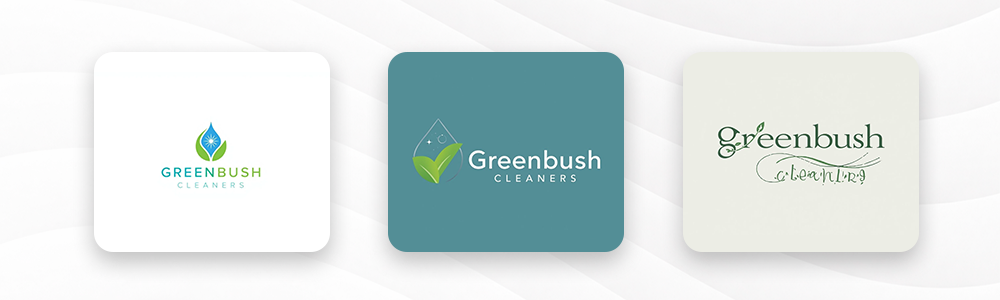
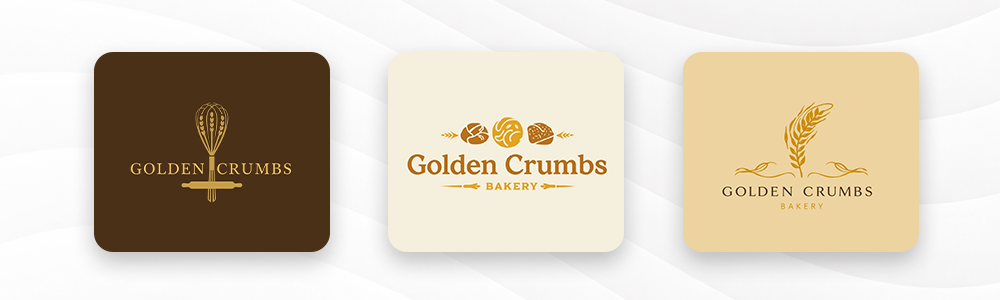
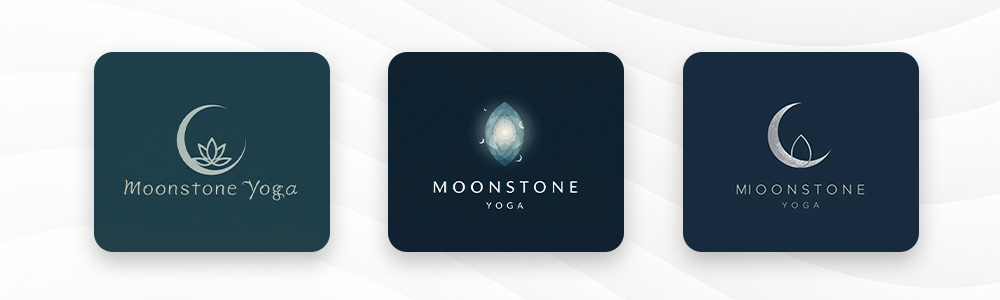
Logo output: Canva’s results were inconsistent across the three prompts.
Overall logo set rating: 6.8/10
| Category | Rating | Details |
|---|---|---|
| Design Quality | 6.7/10 | Canva generated clean and usable logos, but many concepts felt generic, template-driven, and less distinctive than dedicated logo platforms. |
| Relevancy | 8.4/10 | The platform generally communicated the business category clearly through familiar visual styles and recognizable industry symbols. |
| Logo Balance | 5.8/10 | Several logos struggled with spacing, hierarchy, and icon-to-text proportions, reducing overall balance and scalability. |
Check out the logos Canva gave us below.
For a cleaning company called Greenbush Cleaners
For a bakery called Golden Crumbs
For a yoga studio called Moonstone Yoga
The inconsistency across briefs and the non-exclusive template library remain Canva’s main limitations.
Pros:
- Huge general design library covering thousands of templates across every category
- Excellent free tier with broad access to design tools and assets
- Easy to learn; beginner-friendly interface with minimal setup required
- Strong all-purpose design platform for social media, presentations, and more
Cons:
- Logo templates are not exclusive — your design may appear on a competitor’s brand
- Vector export (SVG) requires a paid Pro plan
- AI logo editing is more limited than dedicated logo-first platforms
- Output quality and balance can be inconsistent across different business categories
Pricing: Canva offers a generous free plan with access to a large portion of its template library and design tools. The Pro plan costs $15/month or $120/year ($10/month billed annually) and unlocks premium templates, brand kits, and SVG vector exports. Teams plans start from $10 per person per month (billed annually), making it a cost-effective option for small design teams.
Best for: Businesses that need a logo fast and already use Canva for other design work.
5. Vistaprint — For print-ready branding
Verdict: Vistaprint’s integration with its print catalog is its key differentiator, but logo output quality trails the top platforms and the design experience is more functional than polished.
| Criteria | Rating | Key Findings |
|---|---|---|
| Template Library | 3/5 | Solid range of templates for common business categories; less depth for niche industries |
| AI | 3/5 | Basic AI-assisted generation; limited post-generation editing compared to top platforms |
| Export formats | 3/5 | Standard PNG and JPG; vector formats available on higher-tier plans |
| Ease of use | 4/5 | Simple, guided interface; straightforward for first-time logo creators |
| Pricing | 4/5 | Competitive pricing with free logo creation; paid plans for full file access |
| Design quality | 3/5 | Functional and consistent, but concepts lack the distinctive quality of dedicated logo platforms |
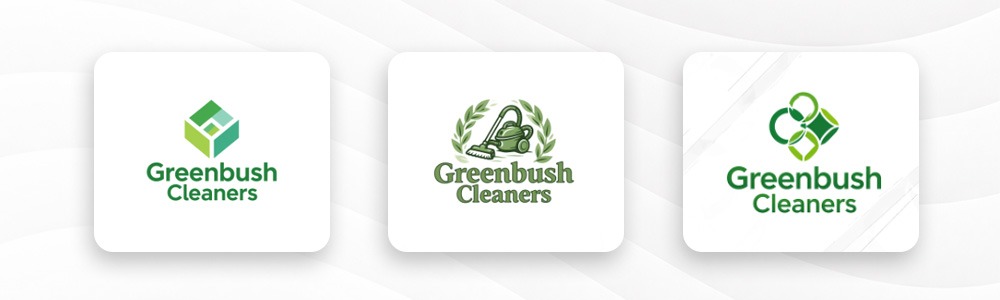
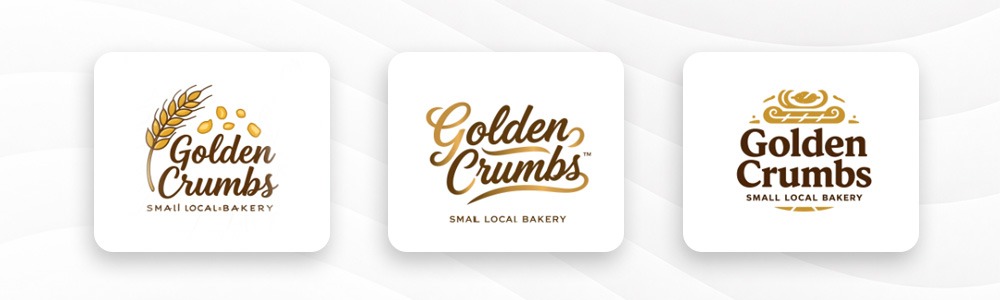
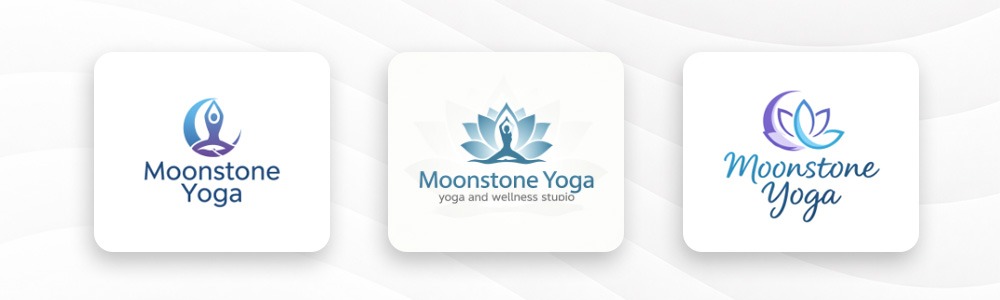
Logo output: Vistaprint produced functional results that communicated business categories clearly, but lacked the polish and brand personality of higher-ranked tools.
Overall logo set rating: 6.1/10
| Category | Rating | Details |
|---|---|---|
| Design Quality | 6.0/10 | Vistaprint produced functional and visually consistent logos, though many concepts felt overly safe, generic, and lacking distinctive brand personality. |
| Relevancy | 7.9/10 | The platform communicated business categories clearly through familiar visual motifs and straightforward industry styling. |
| Logo Balance | 5.3/10 | Most layouts maintained acceptable readability and hierarchy, though several concepts relied heavily on repetitive typography and simplistic icon placement. |
Here are the logos we generated from Vistaprint.
For a cleaning company called Greenbush Cleaners
For a bakery called Golden Crumbs
For a yoga studio called Moonstone Yoga
Pricing: Vistaprint allows free logo creation and preview. A standard PNG download is available for a one-time fee of $10, while the full file package including all formats costs $30 as a one-time purchase. There is no subscription required, making it a straightforward option for businesses that need a logo without ongoing costs.
Pros:
- Seamless integration with Vistaprint’s print catalog for business cards, signage, and more
- Simple and fast to navigate with no design experience needed
- Competitive one-time pricing with no subscription required
- Consistent, recognizable styling for mainstream business categories
Cons:
- Logo design quality is functional rather than distinctive
- Limited AI customization compared to the top platforms
- Vector export requires a paid upgrade
- Design tools beyond the logo itself are limited to print-focused assets
Best for: Small businesses that prioritize print collateral and want a simple, integrated workflow from logo to business card in one place.
6. Adobe Express Logo Maker — Best for Adobe users
Verdict: A capable tool with excellent export quality. The real value is for users already inside the Adobe ecosystem.
| Criteria | Rating | Key Findings |
|---|---|---|
| Template Library | 3/5 | Narrower logo-specific library; stronger in general graphic assets |
| AI | 3/5 | Adobe Firefly integration, but logo-specific AI editing is limited |
| Export formats | 5/5 | Excellent vector output; integrates directly with Illustrator and InDesign |
| Ease of use | 3/5 | Steeper learning curve for users outside the Adobe ecosystem |
| Pricing | 3/5 | Requires an Adobe subscription; no standalone logo-only plan |
| Design quality | 3/5 | Results are basic; would need further refinement from experienced designers |
Logo output: Adobe’s output was technically clean but showed a clear stylistic limitation across all three prompts.
Overall logo set rating: 5.4/10
| Category | Rating | Details |
|---|---|---|
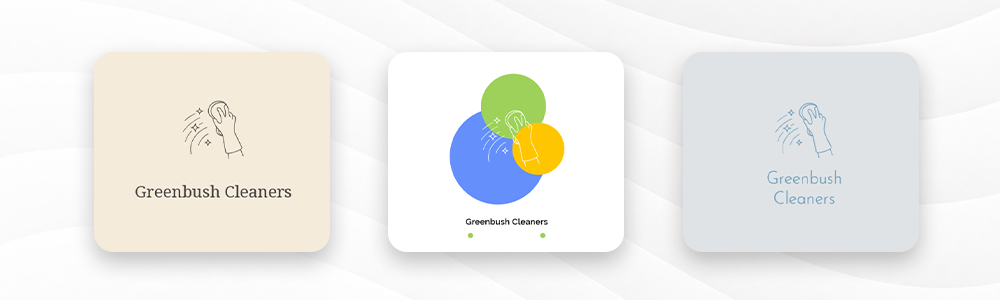
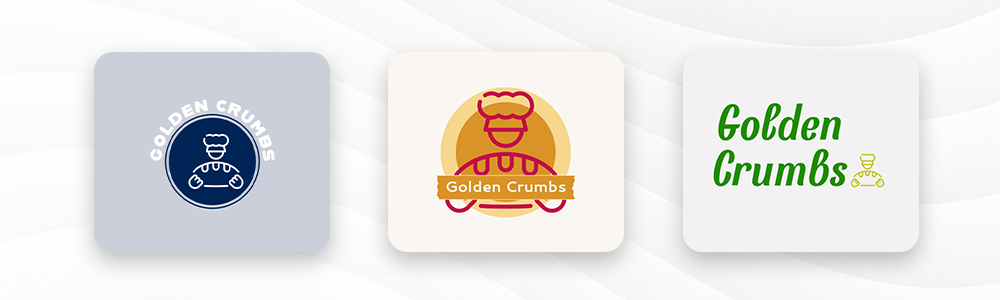
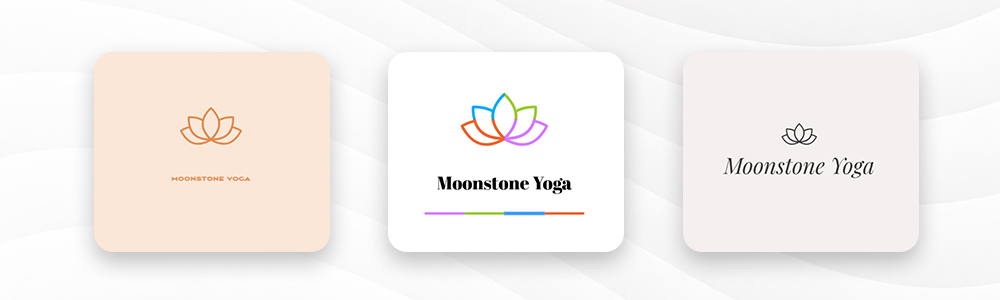
| Design Quality | 5.1/10 | Adobe produced technically clean logos, but many concepts felt minimal, underdeveloped, and less polished than specialized logo makers. |
| Relevancy | 7.8/10 | The platform generally communicated industry categories clearly, though many concepts relied on predictable design clichés. |
| Logo Balance | 4.4/10 | Many layouts suffered from weak hierarchy, excessive empty space, and disconnected typography placement. |
Here are logo design samples from Adobe.
For a cleaning company called Greenbush Cleaners
For a bakery called Golden Crumbs
For a yoga studio called Moonstone Yoga
While Adobe produces refined outputs, the raw results need more refinement from the user than dedicated logo-first platforms like Design.com. Adobe also lost points with the number of logo outputs and icons you are given to choose from.
Pros:
- Tight integration with Adobe Creative Cloud, Illustrator, and InDesign
- High-quality vector exports suitable for professional print and production use
- Strong typography options with access to Adobe Fonts library
- Adobe Firefly AI integration for generative design assistance
Cons:
- Smaller logo-specific template library compared to dedicated logo makers
- Pricing is difficult to justify if you are not already an Adobe subscriber
- Steeper learning curve for users outside the Adobe ecosystem
- Raw logo outputs require more manual refinement than top-ranked platforms
Pricing: Adobe Express has a free plan with access to basic logo creation tools. The Express Premium plan costs $9.99/month or $99.99/year ($8.33/month billed annually) and unlocks the full feature set including premium templates and Adobe Fonts. For users who need the full Adobe suite, Creative Cloud All Apps is available at $59.99/month or $659.88/year ($54.99/month billed annually).
Best for: Designers or creative agencies already on an Adobe Creative Cloud plan.
What the testing told us
The gap between the top two and the rest was wider than expected. Design.com and BrandCrowd returned industry-relevant, commercially ready logos across every brief without exception.
Wix performed consistently well for all three brands, with clean and modern results that outpaced Canva and the lower-ranked tools. Canva performed well for two of the three brands but stumbled on the service business prompt.
Vistaprint produced functional results but lacked the visual personality needed to make a strong first impression. Adobe produced technically refined outputs that required more user intervention to feel complete.
The right tool for you depends on your industry, your budget, and how much time you are willing to spend refining a result. But if you want the highest chance of a strong logo on the first try, the evidence points clearly in one direction.
Before we get to the final verdict, there is one concept worth understanding: what actually makes a logo safe to use commercially. It affects every tool on this list and every business owner who uses one.
What makes a logo commercially safe for new businesses?
This is one of the most overlooked questions for new business owners. You design a logo, download it, slap it on your website, and start trading. But if that logo is not commercially safe, you could face a copyright claim down the road.
Here is what you actually need to know.
What “commercially safe” means
A commercially safe logo is one that does not infringe on any existing trademark or copyright. It means the shapes, icons, and fonts used in your logo are either original, properly licensed, or cleared for commercial use.
Platforms like Design.com and BrandCrowd check every template for originality before it enters the library. That matters. Not all logo makers do this.
Vector vs. raster files
When you download your logo, you will typically be offered different file types. This is not just a technical detail. It affects where and how you can use your logo.
Vector files (SVG, EPS, PDF) are built from mathematical paths, not pixels. They scale to any size without losing quality. You need these for printing, signage, embroidery, and anything large-scale.
Raster files (PNG, JPG) are pixel-based. They work well for web use, social media, and email. A PNG with a transparent background is what you want for placing your logo on different colored backgrounds.
Animated files (GIF, MP4) are useful for digital channels. Both Design.com and BrandCrowd include these in their download packages.
Extended licenses explained
A standard logo license lets you use your logo commercially. An extended license goes further. It removes your logo template from the platform’s public library so no other customer can download the same base design.
If you want to be sure no competitor can start with the same template, an extended license is worth the investment. Both Design.com and BrandCrowd offer this.
How AI-generated logos handle copyright
AI logo generators are only as safe as the data they were trained on. The best platforms use custom-trained AI that has been specifically built to avoid reproducing protected designs. Design.com and BrandCrowd both use this approach.
The result is that AI-assisted edits to your logo remain copyright safe, even as the AI reshapes icons and adapts layouts to your request.
Final Verdict
After testing all seven tools on the same three prompts and scoring them across six criteria, Design.com is the clear winner for new businesses in 2026.
It leads in every category: the largest exclusive template library at 400,000+ logos, the most complete AI tool suite, the widest range of export formats, including animated files, and an unmatched all-in-one branding ecosystem that extends your logo colors to your website, business cards, and social media templates.
Pricing starts at just $3 per month. The free tier alone gives you more than most paid tools on this list. BrandCrowd is the strongest runner-up, particularly for founders focused on brand kit creation and those who place weight on verified customer satisfaction.
Adobe Logo Maker suits businesses already invested in the Adobe ecosystem. Canva works well for teams already using it for general design. DesignEvo, Logodesign.net, and Turbologo each serve specific budget or speed requirements. But for a new business that wants a professional logo, a consistent brand, and room to grow, Design.com is the tool to use.