7 Best Logo Makers for Fast Logo Creation in 2026
With today’s technology and the abundance of AI design tools at our fingertips, creating a beautiful logo shouldn’t take more than just a few minutes.
But there are layers to “fast” logo creation. First is the generation time: how long does it take to browse or search a logo? Or if it’s an AI logo generator, how long does it take for the AI to create a design? An AI image generator can also speed up early visual exploration by turning a written prompt into images that inspire a logo’s style, colors, or overall direction.
Then there’s everything that happens afterward. A logo that appears in two seconds isn’t particularly fast if you spend the next hour replacing the icon, changing the typography, or trying to make a generic template fit your brand.
That’s why we’re looking at the complete journey from generation to editing to finished logo, to find the true best logo maker tools to use if speed is your main priority. You can find our top logo maker picks below, whether you want something tailored to your brand, more creative options to explore, or simply a decent logo you can finish quickly.
TL;DR: Best logo makers for fast logo creation
| Logo Maker | Generation Time* | First Output | Editing Needed | Main Speed Advantage |
| Design.com | 1-3 secs | Highly brand-relevant | Low | Fast generation + results are highly relevant |
| BrandCrowd | 1-3 secs | Creative and polished | Low | Fast generation + organized creative library |
| Canva | 5-7 secs | Good but can be too conventional | Low to moderate (designs are usable, but most still needs some editing) | Very easy to use editor |
| Wix | 15-30 secs | Personalized | Low to moderate | Questionnaire narrows down results to only the most relevant ones |
| Adobe Express | 5-7 secs | Strongest for modern styles | Depends on your logo style, if modern logos = low, everything else = moderate | Quick modern concepts + flexible editor |
| Fiverr | 3-5 secs | Dependent on what you are looking for | Moderate to high | Professional starting designs |
| Shopify | 3-5 secs | Basic but usable | Depends, if you want a simple logo = low, if you want more creative or personalized look = high | Very simple workflow |
*Generation times are approximate observations from using the tools rather than guaranteed speeds. They can vary with your prompt, connection, server load, and other factors.
What makes a logo maker “fast”?
A fast logo maker should be able to give the user the logo they are looking for as quickly as they can as well as shorten the entire editing process needed to produce usable logos.
We therefore considered these factors when it comes to finding the best logo makers for fast logo creation:
- How long initial logo generation took – If you are using an AI logo maker, how long does it take for the AI to produce an output? If you are just using the regular logo maker, how easy is it to search and how long does it take for the platform to surface the logo?
- How easy it was to find relevant designs – What is the quality of those first results? Are they usable and relevant, or do they just match a few keywords? Do they need heavy customization and editing? If you are searching, are all the results relevant or do you need to sift through logos that don’t fit your brief?
- How easy to use is the editor – Are the controls basic and straightforward? Is every feature easy to find, or are they buried deep under menus?
Best logo makers for fast logo creation
The best logo maker tool for fast logo creation is Design.com, followed by BrandCrowd. Other notable tools include Canva, Wix, Adobe Express, Fiverr, and Shopify.
Let’s take a deep dive into each tool and see how it performed on our speed test.
1. Design.com – Best for fast, on-brand logos

Design.com is our #1 choice for fast logo creation because it performs well at both stages that matter: generating the logo quickly and getting you to the finished version quickly.
The process is simple. Just go to the AI logo generator page and enter your business name and keyword. It then takes only 1-3 secs for the logos to surface. The waiting time is also the same every time, whether the details you input are long and short, or if you add on more keywords to regenerate. It’s truly one of the fastest logo makers in the market.
Its biggest time-saving advantage, though, is the high quality of the results.
The platform takes your business name, keywords, industry, and other brand information into account when generating its designs. The first results thus feel connected to the actual overall identity of your business, rather than simply meeting your industry or a part of your name.
Here are some sample cleaning logos for “Suds and Shine”, a friendly and upbeat home cleaning service:
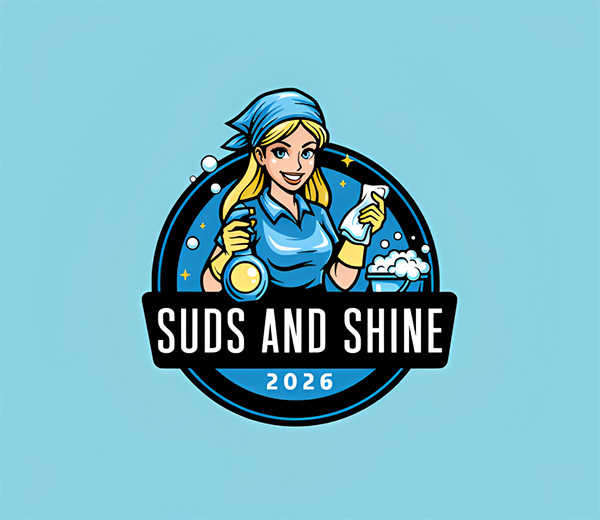
And since the first output already has the right personality, direction, and look, there is naturally less editing to do afterward. You may only need to change a color or type in your slogan before the logo is ready. You also don’t need to waste time sifting through irrelevant results.
And speaking of editing, it’s also all straightforward. Design.com uses a drag and drop editor so users just need to click to edit or move the elements. There is also an AI chat editor, if you prefer to have AI make the edits instead of doing it manually (which also saves a lot of time especially if you are not an expert at editing).

What makes Design.com fast:
- Initial designs appeared in just 1-3 seconds, the fastest in the market.
- Regeneration is also fast which makes it easy to explore different prompts.
- The AI considers your overall business and industry information which makes the first results more relevant.
- Strong first outputs generally require fewer edits.
- Logos can be searched by keyword and industry.
- AI chat editor can speed up changes that would otherwise need to be made manually.
The verdict:
Design.com has the best overall balance of generation speed and finishing speed. Getting results in 1-3 seconds already puts it among the fastest tools we used, but it speeds things up even further by giving results that are already close to what you actually need.
That means you’re not simply getting a logo quickly. You’re getting to a finished logo quickly, which is ultimately the more useful measure.
2. BrandCrowd – Best for Fast Creative Exploration

Next on the list is BrandCrowd. Their logo maker tool produces logos in as quick as 1-3 seconds, which is incredibly fast.
And if you prefer browsing logos, BrandCrowd can make that process fast as well. This is because their logos are cleanly organized by keyword and industry. So whether you want to find “romance logos” or break it down specifically to “cupid logos” or “pink heart logos”, you can easily find relevant results.
It’s a big difference compared to other tools, where searching for “pink heart” might give you just pink logos or just heart logos (and sometimes not even finding those!). It’s a great search experience, and it makes a substantial difference in how quickly you can find what you need.

The quality and variety in their logos are also top-notch. The logos tend to be more creative than the safe or basic templates common on many logo makers. You can also see minimalist concepts alongside intricate line art, classic badges, brutalist typography, or more cartoony designs.
This makes BrandCrowd especially useful when you do not already have a finished logo in your head. Instead of using up time to manually create several approaches to see what works, you can just browse different directions to help you decide.
It also cuts down the editing time, as you start from a strong and creative foundation rather than spending time trying to spruce up a plain or basic layout.
What makes BrandCrowd fast:
- Generates logo options in around 1-3 seconds.
- Logos are clearly categorized by keyword and industry, making specific ideas easier to find.
- The search function can handle more detailed combinations, so you spend less time digging through irrelevant results.
- Creative variety makes it easy to compare different directions.
- Strong starting designs reduce the amount of editing needed to make a logo feel interesting and distinctive.
The verdict:
BrandCrowd is one of the best logo makers if you want quick and good logos. It generates designs in just 1-3 seconds, has an excellent search system that makes specific logo ideas easy to find, and offers enough creative variety that you can quickly explore different directions.
3. Canva – Best for easy and fast customization

Canva’s AI logo maker takes about 5 to 7 seconds to generate (though we noticed that more detailed prompts can take longer). If you are just searching with the regular logo maker instead of generating one, it takes around 1-3 seconds to return results. Overall, Canva is generally quick.
Finding the right logo is where things can get iffy. Their AI logos do understand your custom prompt, though the results lean too conventional and might need more editing to look more distinctive. Sometimes there are also AI errors, like misspelled text that needs to be cleaned up.
Browsing through the results of their regular logo maker tool can also take a bit more time. For example, searching for “street fashion logo” returns results that also include street food and street dance studio logos. It’s not a lot, but it does mean you need to wade through some irrelevant results.

Canva’s popularity creates another issue: familiarity. Many of its templates and design elements are widely used, so a perfectly good starting logo can still look recognizably like a Canva template. Making it feel distinctive may mean changing several elements rather than simply adding your business name.
These may sound like tons of issues, but Canva is not at all bad to use. The logos are usable and good, but they do have these factors above that make the whole process slower compared to Design.com and BrandCrowd.
Their editor is an exceptional feature. Everything is straightforward and easy to find, so even beginners should be able to edit with ease. If you have a Pro plan, you can access AI features like Magic Text and Magic Erase that make editing even faster. They also offer a huge library of graphic elements, so users can easily jazz up their logos or quickly replace one if needed.
What makes Canva fast:
- Generation generally takes around 5–7 seconds.
- Keyword search helps narrow a very large template library.
- Extremely easy drag-and-drop editor.
- Huge asset library makes replacements quick.
- Fonts, colors, graphics, and layouts can be changed without design experience.
- Familiar interface makes it particularly quick for existing Canva users.
The verdict:
Canva is a fast option, especially thanks to its editor. It makes customization so easy that even substantial changes do not feel intimidating.
The tradeoff is that the starting designs can feel generic or familiar. Canva is fine if you want a quick starting point and an easy way to edit the logo into your own. But if your goal is to get a logo that you barely need to edit, Design.com is better.
4. Wix – Best for guided logo creation

Wix (or more specifically, their Wixel logo maker) takes noticeably longer to generate logos than most of the other tools here. In our experience, the initial generation generally took around 15 to 30 seconds.
There is a reason the process is longer. Wix provides a questionnaire that asks about your business, what you want the logo to convey, and your preferred aesthetic. The AI then carefully studies your answers to give you four logo concepts that best match your needs.
For beginners, that can be useful. If you know you need a logo but have no idea whether it should be minimal, playful, sophisticated, bold, or something else entirely, the additional guidance helps turn a vague idea into a more specific brief.
The resulting concepts also generally reflect those choices reasonably well, which make up for the time lost during generation. So you may have waited longer for the generation, but you start with more relevant and personalized results.

The editor is also approachable once the logos arrive. Manual changes to colors, fonts, layouts, and other elements are pretty straightforward and easy to use.
Wix also offers an AI image generator, which can be used to create the exact image you need (rather than forcing yourself to make do with the available library), but keep in mind that this tool also takes a long time to produce output.
Why does Wix make it fast:
- Guided questions help establish a direction before designing.
- Industry and style information gives you smaller but more focused results.
- More personalized starting points can reduce later editing needed.
- Beginner-friendly manual editor.
- AI tools can remove the time needed for manual editing.
The verdict:
Wix is slower at the initial generation stage, but it’s a fast and efficient solution for people who need help deciding what their logo should look like.
The extra wait is also easier to justify since it saves you from aimlessly browsing hundreds of irrelevant templates afterward. For users who already know exactly what they want, however, Design.com or BrandCrowd will feel considerably faster.
5. Adobe Express – Best for modern logo styles

Adobe Express AI logo generator took around 5-7 seconds to produce outputs, while the regular logo maker clocks in at 1-3 seconds. Like Canva, more detailed requests can take a little longer, but the initial process is still relatively quick.
Its strongest results tend to appear when you are looking for something modern. You’ll see lots of clean wordmarks, geometric icons, contemporary typography, and minimalist layouts. If that’s what your brand needs, the process is very fast.

However, other styles can take more work. If you want something vintage, playful, ornate, or particularly niche, the initial results can be less convincing and needs a bit more editing. Their AI logos also need significantly more clean-up as well.
The logo library is also not as neatly categorized as Design.com or BrandCrowd. You can just search, but they are not segregated into different pages like those two. Search can also sometimes bring up logos that are irrelevant to what you are looking for, which eats up time.
The editor is where Adobe has an advantage. There is considerably more room to manipulate typography, graphics, layouts, effects, and other elements than on basic logo makers. This means users have more ways to enhance a logo easily, without needing to resort to more complex tools.
What makes Adobe Express fast:
- Generation generally takes around just 5-7 seconds.
- Particularly strong starting points for modern and minimalist logos.
- Strong graphic editing features compared to most tools, which means complex refinements can be done (without making it too difficult).
- AI logo generator offer more controls to affect the result, like following a certain art technique or art movement.
The verdict:
Adobe Express can be very fast when your preferred aesthetic matches its strengths. Modern logos can go from generation to finished design with relatively little friction, and the capable editor means you have plenty of options when changes are necessary.
For styles outside that sweet spot, however, more of your time may be spent searching and editing.
6. Fiverr Logo Maker – Best for fast, professional starting results

Fiverr takes a different approach to logo generation compared to other tools here. It combines both AI and a regular logo maker: you get a library of premade logo templates created by designers, while the AI matches the user’s preferences and needs to the right logo in the library.
The matching happens quickly. After they answered their short questionnaire, the logos appeared 3-5 seconds later. Having a questionnaire also narrows down the results a la Wix.
Another benefit is consistency. Because the underlying concepts were created by designers, the initial logos usually have sensible typography, composition, spacing, and proportions. You are not spending time fixing strange layouts or obviously broken design choices.
Where things can take longer is making the logo feel truly distinctive.
Fiverr’s library is smaller and tends to lean toward more conventional professional styles. If one of those concepts already matches what you have in mind, that is not a problem. But if you want something more unusual, expressive, creative, or truly on-brand, you need to spend a lot more time customizing the initial design.

What makes Fiverr fast:
- Logo matching generally takes around 3-5 seconds.
- Business and style information narrows the results.
- Designer-made starting concepts are generally polished, which means less time is needed to correct basic composition or typography.
- The editor is simple and easy to use.
The verdict:
Fiverr Logo Maker is quick at finding a logo that looks professionally put together. If you need a corporate or conventional identity, Fiverr can get you there with very little effort.
The process becomes slower when originality and relevance are the priority. BrandCrowd offers more creative variety out of the box, while Design.com does a better job of getting the design aligned with the individual brand from the beginning.
7. Shopify Logo Maker – Best for quick e-commerce logos

Shopify Logo Maker keeps the process intentionally simple. You just need to type in your business name, and you get the design in 1-3 seconds. You can then regenerate new options or “customize” the logo by giving them instructions (such as changing the color of the icon or making the text bigger). Shopify also limits what you can edit: if you chose a logo with no icon, you won’t be able to add it in later. It is deliberate so that editing is fast and streamlined, but it also means your creativity will be limited.
The designs themselves tend to be straightforward as well. You will find more wordmark logos or those paired with simple icons, with similar layouts to those that are popular among online store brands.

That makes Shopify particularly suitable for e-commerce founders who are trying to get a store online and do not want branding to hold up the launch.
However, while the simplicity makes everything fast, it’s also the biggest limitation of the tool.
What Shopify gives you are basic logos, in every sense of the word. If you just need something usable and don’t care too much about the design or the brand identity, then Shopify is good enough.
But if you want a unique logo, one that has personality, or one that truly matches your brand, you need a significant amount of time editing. That essentially cancels out the time you saved at the beginning.
Shopify’s library of logos and visual elements is also limited. Even if you try to edit, you won’t be able to produce incredibly original or creative results.
What makes Shopify fast:
- Very straightforward creation flow.
- Beginner-friendly controls.
- Few unnecessary steps or decisions.
- Basic designs generally require little correction.
The verdict:
Shopify Logo Maker is a good choice when the priority is getting something usable finished quickly. It does not offer the same depth or creativity as the stronger dedicated logo makers, but sometimes that is exactly the point.
For a new store that needs a logo the very same day, the simplicity works. For a business that wants branding to become an important part of its identity, it’s worth spending a little more time with Design.com or BrandCrowd.
Final thoughts
The best logo maker for fast logos will depend on where you prioritize saving time. Some tools might make you wait longer to get it right, while some may give you the results fast but with subpar quality.
Luckily, tools like Design.com offer the best balance. Results appear in as quickly as 1-3 seconds, while the strong brand alignment of the initial concepts means there is often little left to change. It’s fast and good, making it a perfect fit for nearly any business need.
Want to expand beyond logos? Design.com also offers other equally speedy tools, like their AI business card maker, AI website builder, and AI presentation maker.