How to Design a Logo
What’s the first thing people notice about your business before they read your website, try your product, or talk to your team? More often than not, it’s your logo.
From Apple’s iconic bitten apple logo to Nike’s instantly recognizable swoosh, some of the world’s most successful brands are remembered by a single visual mark. And whether you’re launching a startup, rebranding a growing business, or finally turning a side hustle into something real, learning logo design is one of the most important steps you’ll take.
In this guide, you’ll learn exactly how to create a logo from start to finish: from defining your brand identity and choosing the right colors and fonts, to using the right logo design tools, testing your design, and exporting files you can confidently use everywhere your business shows up.
What is a logo?
A logo is a visual symbol that represents a brand, but when people ask what is a logo, the answer goes far beyond an image or a name in a stylized font. It is the mark people come to recognize, remember, and associate with your products, services, and values over time.
Logos come in many forms, from text-based wordmarks and lettermarks to symbols, abstract icons, and combination logos. No matter the format, the goal remains the same. Create a clear, memorable visual identity that connects with your target audience and supports your brand story.
The good news? You don’t need a huge budget or a design degree to create a professional logo. Whether you’re sketching ideas by hand, using a logo maker, or experimenting with an AI logo generator like Design.com, the same logo design principles apply.
What makes a great logo?
Before jumping into the design process, it’s essential to understand what separates a good logo from a great one. The most effective logos share a few essential characteristics:
| Feature | Why it matters |
|---|---|
| Simple and memorable | Great logos are clean, uncluttered, and easy to recognize at a glance. Think of McDonald’s golden arches or Apple’s apple: simple shapes that stick in your mind. |
| Versatile | A strong logo works everywhere: websites, business cards, social media, packaging, and merchandise. It should look just as good in black and white as it does in color. |
| Timeless | Trends come and go, but a great logo lasts for years. Avoid overly trendy fonts or effects that may feel dated quickly. |
| Relevant | Your logo should reflect your industry, brand values, and target audience. A playful startup logo will look very different from a professional law firm logo, and that’s intentional. |
| Unique | A logo should help your brand stand out, not blend in. Avoid generic icons or symbols that competitors are already using. |
Step-by-step guide: How to design a logo
Designing a logo doesn’t have to be overwhelming. Follow these steps to create a logo that truly represents your brand.
Step 1: Define your brand identity
Before you start sketching or opening a design tool, you need a clear understanding of your brand. Your logo should reflect who you are as a business, not just look visually appealing.
Ask yourself:
- What is your brand’s mission and core purpose?
- What values do you want your brand to be known for?
- How would you describe your brand’s personality? For example, modern, playful, professional, bold, or minimalist.
- Who is your target audience, and what appeals to them?
It is also essential to research your competitors. Look at logos within your industry to understand common themes, colors, and styles. This helps you meet audience expectations while finding opportunities to stand out.
Step 2: Gather design inspiration
Once your brand identity is apparent, start collecting visual inspiration. This step helps you explore ideas and refine your creative direction before committing to a design.
Ways to gather inspiration include:
- Creating a mood board with colors, fonts, and logo styles you like
- Browsing logo galleries, branding blogs, and design platforms
- Exploring logos from brands you admire, even outside your industry
- Noting what you like and dislike about each example
As you gather inspiration, look for patterns. Certain colors, shapes, or typography styles consistently align with your brand vision.
Here are some of the types of logos you can explore:
Wordmark (Logotype)
A wordmark logo focuses entirely on the business name, using typography as the main design element. This type works best for brands with short, distinctive names and allows the name itself to become instantly recognizable. Famous examples include Google, Coca-Cola, and Disney.
Check out some wordmark logos below:
Caffeine Coffee Cafe by Design.com
Cleaning Bubble Laundry by Design.com
Glitch Tech Business by Design.com
Lettermark (Monogram)
Lettermark logos use initials instead of full brand names. They are ideal for companies with long or complex names and help create a clean, professional look that’s easy to remember. Think IBM, NASA, and HBO.
Get inspired by some of our lettermark logos here:
Generic Brand Letter R by Design.com
Beaded Bracelet Boutique by Design.com
Luxury Finance Currency by Design.com
Symbol (Icon or brandmark)
Symbol logos use a standalone icon or graphic without text. These logos rely on strong visual identity and usually work best for brands that already have high recognition or plan to build it over time. The Nike swoosh, the bitten Apple, and McDonald’s Golden Arches are prime examples of famous symbol logos.
Choose from one of our symbol logos:
Modern Medical Asterisk by Design.com
Oral Dental Dentist by Design.com
Taco Snack Taqueria by Design.com
Combination mark
Combination marks blend text and symbols into one logo. This is one of the most versatile logo types because the elements can be used together or separately across different platforms. Adidas, Burger King, and Lacoste utilize this type of logomark.
Here are some combination mark logo examples:
Tooth Dental Floss by Design.com
USA Map Patriotic by Design.com
Woman Gamer Headphones by Design.com
Emblem
Emblem logos feature text enclosed within a shape, badge, or seal. They often convey tradition, authority, or heritage and are popular with schools, organizations, and established brands. Consider how recognizable Starbucks’, Harley-Davidson’s, and the NFL’s emblem logos have become.
Customize one of our emblem logos below:
Decorative Indian Restaurant by Design.com
Artisanal Antique Boutique by Design.com
Elegant Floral Cosmetic by Design.com
Step 3: Choose your design approach
At this stage, decide how you want to create your logo. There are two main approaches, and each has its benefits.
Hire a professional designer
- Ideal for complex branding projects
- Offers custom strategy and creative expertise
- Typically requires a larger budget and longer timeline
Use a logo maker or an AI logo generator
- Fast and affordable option
- No design experience required
- Allows you to generate and customize professional logo concepts in minutes
Platforms like Design.com make it easy to choose a direction by generating logo options based on your business name, industry, and style preferences.
All you have to do is type in your business name, add keywords, and choose a design to customize!
Step 4: Sketch initial logo concepts
Even if you plan to use a digital tool or an AI logo generator, sketching is a valuable step. It allows you to explore ideas freely without worrying about technical details.
When sketching:
- Use pencil and paper to brainstorm quickly
- Draw multiple concepts instead of perfecting one idea
- Focus on shapes, layout, and symbolism
- Experiment with different logo types, such as text-based, icon-based, or combination logos
The goal is not perfection. It is exploration and creative freedom.
Step 5: Select colors and typography
Color and typography play a major role in how your logo is perceived.
Choosing logo colors
Before selecting hues for your visual identity, it helps to start by understanding color psychology. The right palette shapes how your audience interprets your brand, influences emotional response, and reinforces your overall message.
Here are some common logo colors and what they represent:
- Blue logos often convey trust and professionalism. Lighter blues tend to feel friendly and approachable, while darker navy tones communicate authority and corporate strength.
Common industries: finance and banking, technology, healthcare, insurance, consulting, cybersecurity, and corporate services
Lion Shield Crown by Design.com
- Red suggests energy and passion. It naturally draws attention, making it effective for brands that want to appear bold, confident, or action-oriented. Common industries: food and beverage, restaurants and fast food, retail, entertainment, sports brands, automotive, and sales-driven consumer products
Red Crab Restaurant by Design.com
- The color green represents growth, nature, or sustainability. Brands typically use green when they want to communicate health, responsibility, or eco-friendly values. Common industries: agriculture, organic food and beverage, environmental organizations, sustainability brands, health and wellness, finance (especially investment and fintech), and outdoor or lifestyle companies

Nature Organic Planting by Design.com
- Black logos communicate sophistication and authority. It conveys a sense of exclusivity and privilege. Depending on typography and layout, it can feel either luxurious or bold and cutting-edge. Common industries: luxury fashion, beauty and cosmetics, high-end retail, automotive, technology hardware, photography, architecture, and premium service brands

Luxury Minimalist Arch by Design.com
When designing your first logo, consider limiting your palette to two or three colors so you don’t feel overwhelmed.
Choosing typography
Understanding the role of typography in logo design helps you select typefaces that reinforce your brand’s personality while staying clear, legible, and consistent across all applications.
- Sans-serif fonts work well for modern and clean brands
- Serif fonts feel classic and traditional
- Script or decorative fonts can add personality, but should be used carefully
Always prioritize readability, especially at small sizes. If you want to simplify the logo design process, Design.com makes it easy by using AI to automatically generate well-matched color palettes and font combinations tailored to your brand style and industry.
Instead of guessing what works, you can quickly explore professional, balanced options that follow design best practices and create a cohesive, polished logo with minimal effort.
Step 6: Digitize and refine your logo design
Now it is time to bring your logo into a digital format. You can do this using professional design software or an AI-powered logo generator.
During this step:
- Upload or recreate your sketches digitally
- Test different layouts, fonts, and color combinations
- Adjust spacing, alignment, and proportions
- Ensure the logo looks strong in both color and black and white
This is where your logo starts to feel polished and professional.
Step 7: Test your logo in real-world scenarios
A logo should work everywhere your brand appears. Testing helps you catch issues before finalizing your design.
Test your logo by:
- Viewing it at small sizes, such as app icons or website favicons
- Displaying it at large sizes, such as posters or signage
- Placing it on different backgrounds and textures
- Applying it to mockups like websites, digital business cards, and social media profiles
Gather feedback from colleagues, friends, or potential customers and look for consistent patterns in their responses.
Step 8: Finalize and export your logo
Once you are confident in your design, it is time to finalize your logo and prepare it for use.
Final steps include:
- Making adjustments based on feedback
- Exporting your logo in multiple formats
- Saving vector files, such as SVG or EPS, for scalability
- Saving raster files such as PNG and JPG for web and social media
It is also a good idea to create a simple brand style guide that outlines logo usage, spacing, color codes, and typography to maintain consistency as your brand grows.
How to design a logo with AI
AI logo generators have transformed the design process. This is how AI logo makers work: You simply enter your business name, industry, and style preferences. That’s it! The AI instantly generates multiple logo options tailored to your brand.
Benefits of AI logo design
- Fast turnaround
- Affordable pricing
- No design experience required
- Professional-quality results
Customization
AI tools let you fully customize colors, fonts, icons, and layouts, so your logo feels unique, not generic.
Design.com’s AI Logo Maker offers thousands of customizable designs with instant downloads in multiple formats, making it ideal for startups, rebrands, and growing businesses.
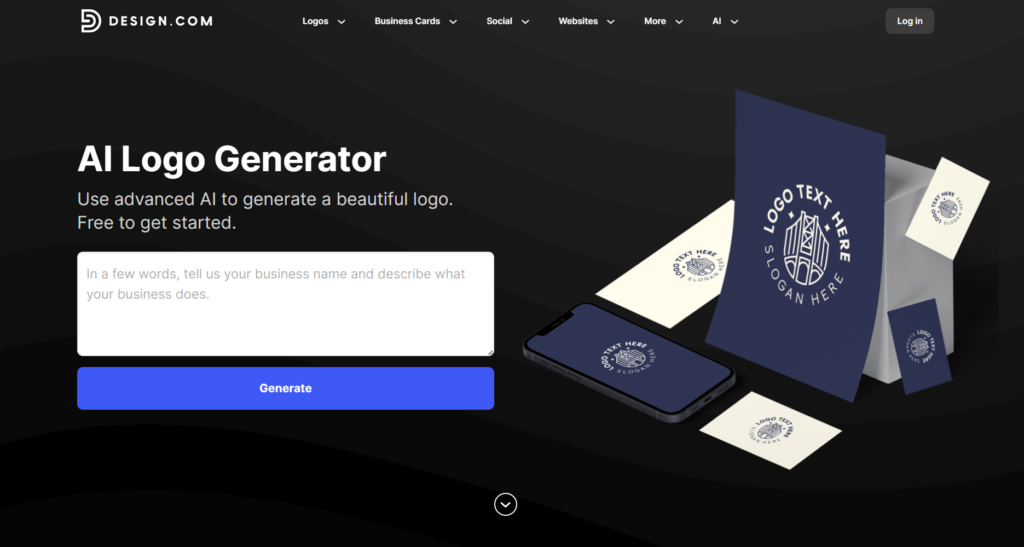
Here’s how the Design.com logo maker works:
Step 1:
To start, you need to insert your business name and a few keywords describing your business. Once done, the platform’s advanced algorithms will present you with designs you can customize.
Step 2:
Browse the different logos and take your pick! Once you have chosen a template, you can start customizing your logo. Change the font, colors, layouts, and styles until the design fits your branding perfectly.
Step 3:
If you’re satisfied with your design, simply click the download button to access your logo in all the required formats, including SVG, EPS, PNG, JPG, and PDF, so you’re ready to use it across print, web, and social media right away!
By combining AI efficiency with professional quality, Design.com makes logo design accessible to everyone.
Logo design tips from the pros
Check out these design tips when creating your logo:
- Start in black and white to perfect form first: Designing without color forces you to focus on shape, balance, and clarity. If your logo works well in black and white, it will be strong in any color combination.
- Keep it simple and aim for instant recognition: A great logo should be recognizable within seconds. Simple designs are easier to remember and more effective across different platforms and sizes.
- Design with scalability in mind: Your logo should look just as good on a small mobile screen as it does on a large billboard. Avoid intricate details that may get lost when scaled down.
- Use negative space creatively: Negative space can add depth and meaning to your logo when used intentionally. Clever examples, such as the hidden arrow in the FedEx logo, create visual interest without clutter.
- Get feedback early and often: Sharing your logo concepts during the design process helps identify issues and uncover new perspectives. Feedback from people who represent your target audience is especially valuable.
- Always export vector files for long-term flexibility: Vector formats like SVG and EPS allow your logo to scale without losing quality. These files are essential for professional printing, signage, and future brand applications.
Create a logo that lasts
A great logo is a visual foundation for your brand. Whether you’re learning how to make a logo, exploring how to design a logo for free, or using an AI logo generator, the key is to stay true to your brand identity and design with purpose.
With the right approach and tools like Design.com, anyone can create a logo that’s professional, memorable, and built to grow with their business. Ready to design your logo? Start creating with Design.com’s AI Logo Maker and bring your brand to life today.